TaskSpend vs Expensify, QuickBooks and Buildertrend: simpler, cheaper, and often free
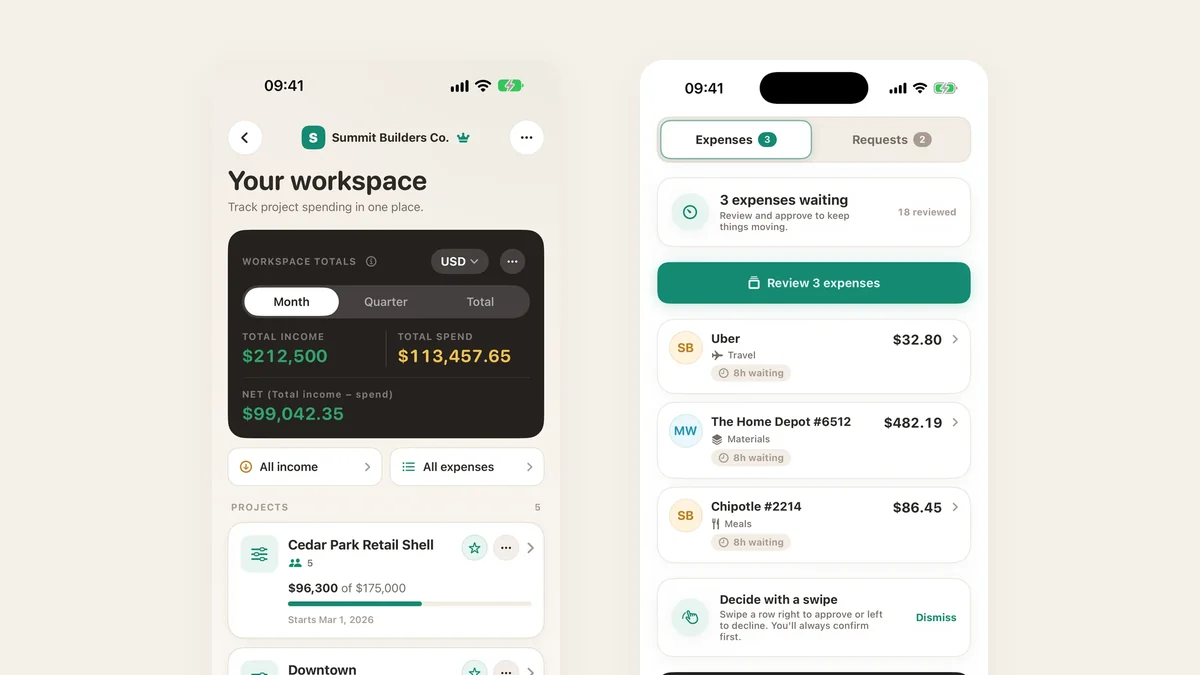
Most expense software is built for one of two people: the finance team chasing expense reports, or the construction firm that needs a whole operating system. If you run a small team on projects, you mostly need to know three things: how much have we spent, what is left, and who approved it. TaskSpend answers those, it takes minutes to set up, and for a lot of teams it costs nothing.
Easy enough for the person at the counter
Nobody on a job site should need accounting training to file a receipt. In TaskSpend you photograph it, the merchant, amount and date fill themselves in, you pick the project, done. Big purchases get asked about first, and the approver sees what is left in the budget before tapping approve. The budget moves the moment something is approved, not at month end.
- Receipts, expenses, income and invoices, all filed against a project and a budget category
- Requests before the spend, for purchases, deposits, mileage, per diem and travel
- Four plain roles: Owner, Approver, Member and Viewer
- Expenses in many currencies, with reports you can export as PDF or CSV
- iPhone, iPad, Android and the web, all in sync
Invoices and receipts, from the same app
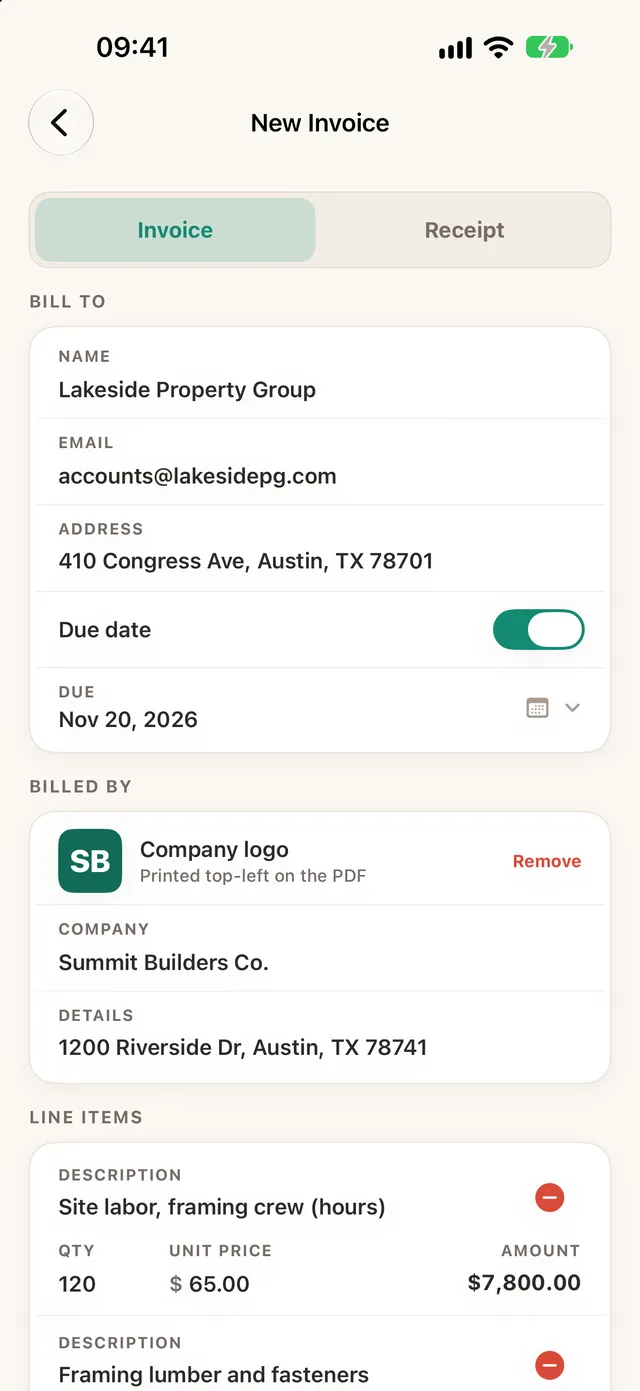
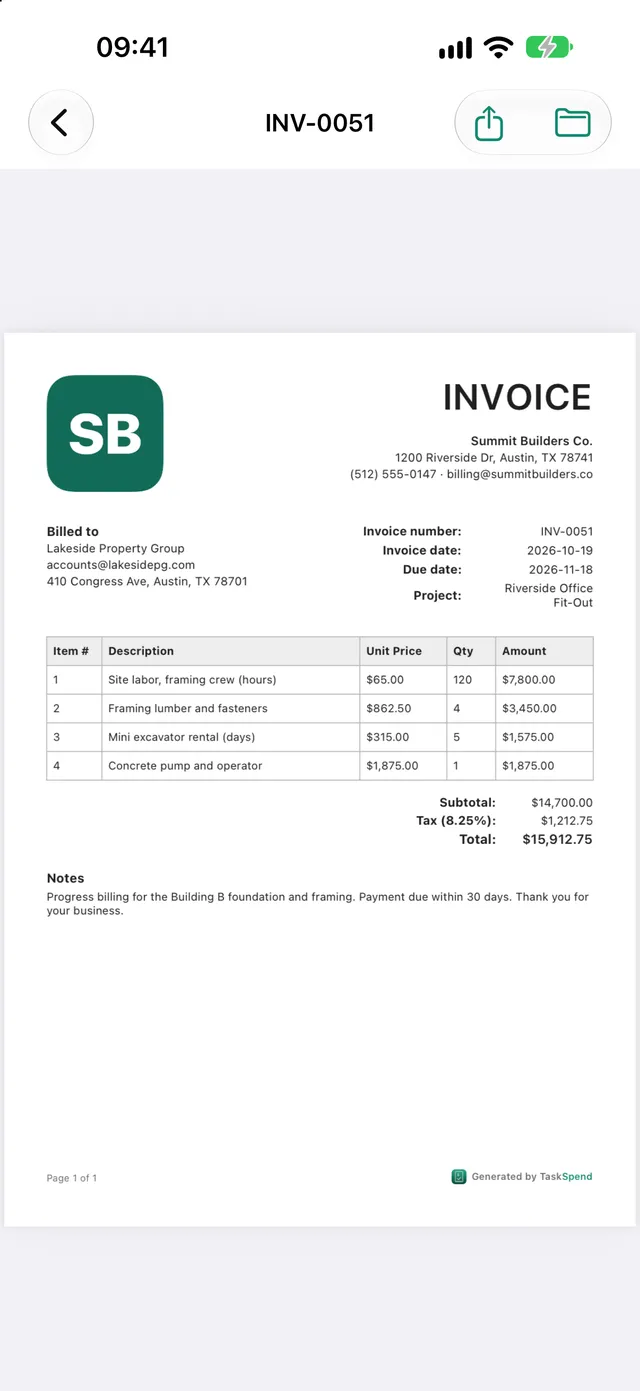
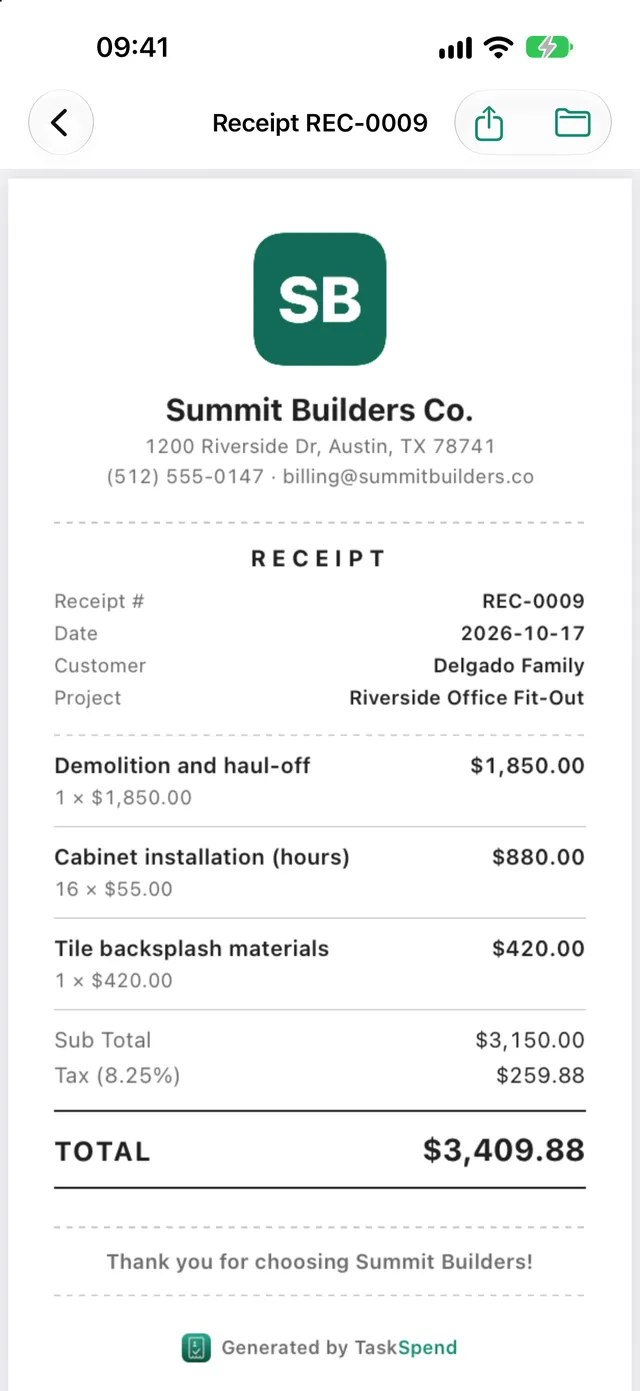
Bill a client without opening another tool. Type the line items, or pull them in from approved expenses, add tax as a percentage or an amount, and TaskSpend works out the totals. Your logo goes on a clean A4 PDF you can share straight from your phone. Paid on the spot? Make a receipt instead. Owners and Approvers can create them; the free plan includes 5 a month.
How it compares
- Expensify and Zoho Expense are built around the employee expense report: spend, submit, get reimbursed. TaskSpend is built around the project budget, with approval before the money goes out.
- QuickBooks and Xero are great accounting software, and TaskSpend does not replace them. It makes the capture-and-approve part easy for the field team, then Premium pushes approved expenses into QuickBooks Online or Xero for your bookkeeper.
- Dext and Hubdoc are excellent receipt filing cabinets. TaskSpend files receipts too, and adds the budget, the approval and the team around each one.
- Buildertrend, Knowify and Procore are powerful construction platforms with estimating, scheduling and change orders. If you only need to keep job spending in check, TaskSpend does that without the rollout, the training or the price tag.
Each of these has its own page with the screens that matter for it: Expensify alternative, project expenses for QuickBooks, Dext alternative, Buildertrend alternative, construction expense tracking, receipt approvals and project budget tracking.
Cheaper, because you pay per workspace, not per person
Most expense and construction tools charge for every user, every month, and the bill grows each time you add someone. TaskSpend prices the workspace instead. Add a teammate, an approver or your bookkeeper and the price stays the same.
| Plan | Price | What you get |
|---|---|---|
| Free | $0 | 3 workspaces (personal, family, team) sharing 10 projects and 10 people; 100 expenses and 50 requests a month in each workspace. Receipt scanning, approvals, budgets and reports included, plus 5 invoices or receipts a month. |
| Plus | $7.99/mo or $79.99/yr | Every Free limit lifted: unlimited projects, expenses, requests and invoices, up to 100 people. |
| Premium | $14.99/mo or $149.99/yr | Everything in Plus, plus AI document reading and QuickBooks Online and Xero sync. |
Founders offer: Plus is $59.99 and Premium is $129.99 for your first year on the yearly plan.
When TaskSpend is completely free
The free plan is not a trial and it does not need a card. It is enough, on its own, for:
- Your own spending. A personal workspace for receipts, income and a monthly budget.
- A household project. A renovation, a wedding or a family trip, shared with the people involved.
- A small crew or team. Up to ten people and a hundred expenses a month in each workspace covers plenty of small jobs, events and client projects.
You only pay when you outgrow those limits, or when you want AI document reading and accounting sync.
Switching takes one project
You do not have to move everything at once. Keep your old receipt archive and your accounting software as they are. Create one project, set its budget, invite the people who spend and approve, and track new purchases from today. If it works for that project, add the next one.
Try it on your next project
Free to start: three workspaces, ten projects, ten people, no card needed.
Get TaskSpend