Every project’s expenses, sorted.
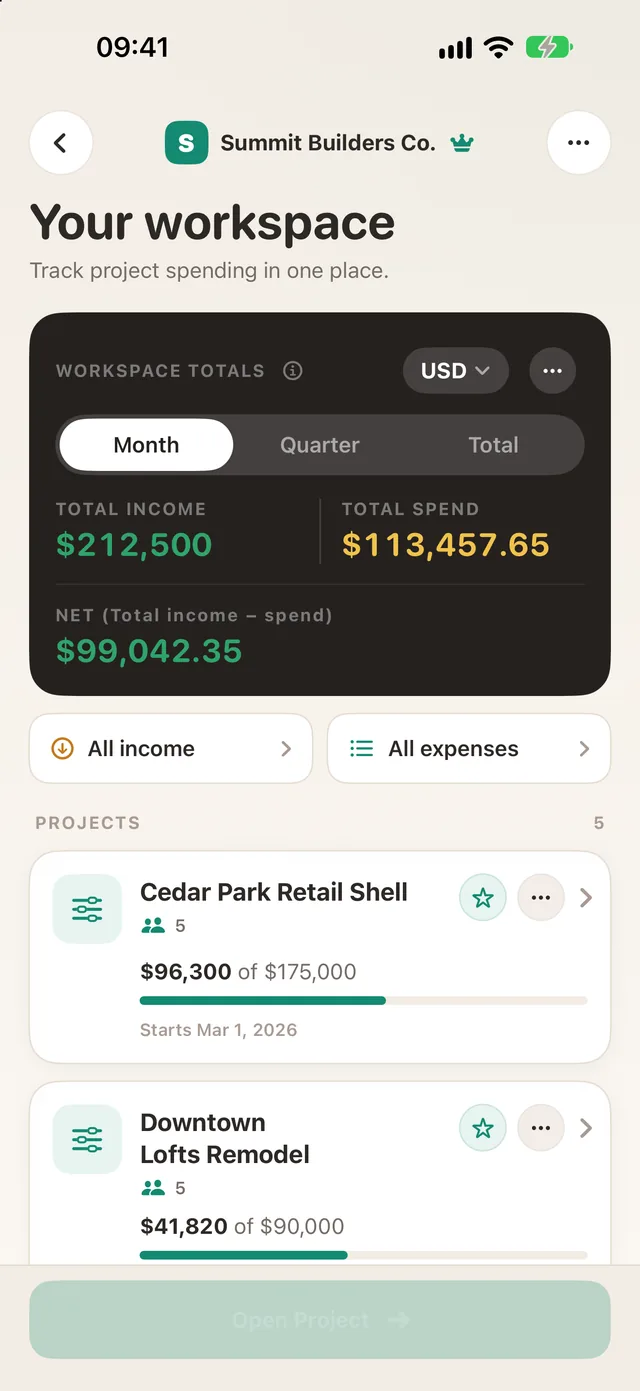
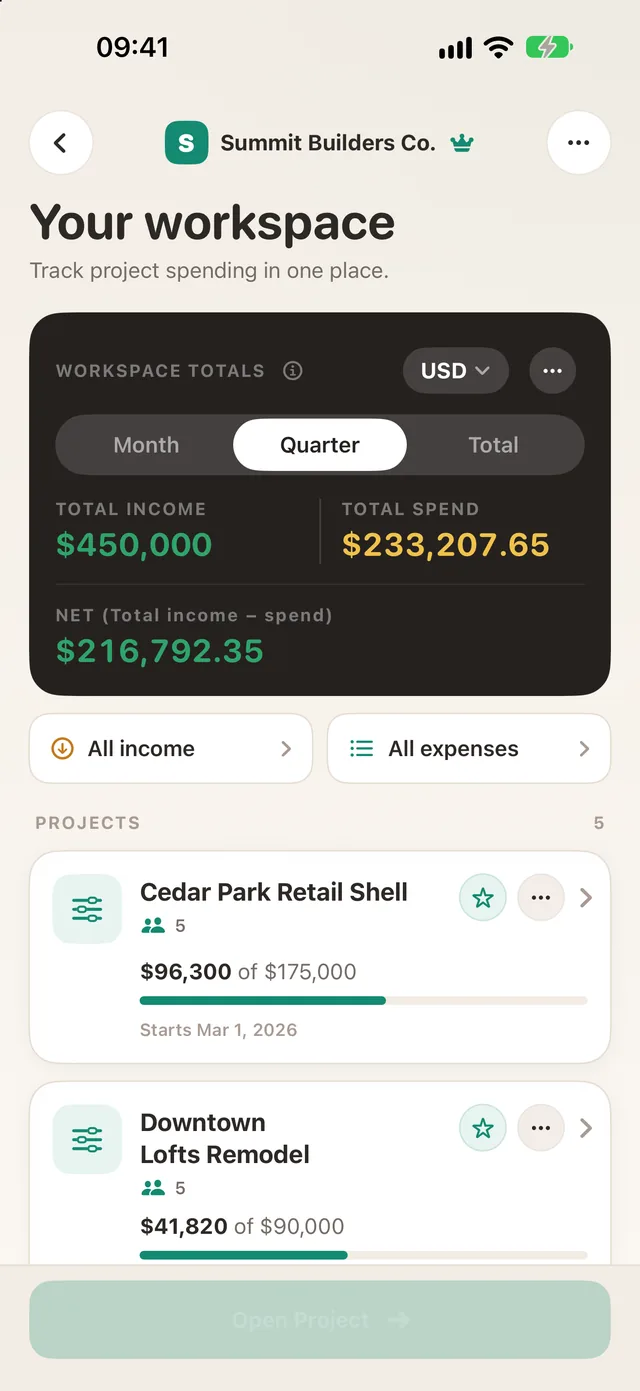
One total for every project in your workspace: income, spend and what’s left, in your currency. Snap receipts and approve spending as you go.



Free to start. No card needed.

 Free to start
 iPhone, Android & web
 Any currency
 Private by design
How it works
Three steps. That’s the whole app.
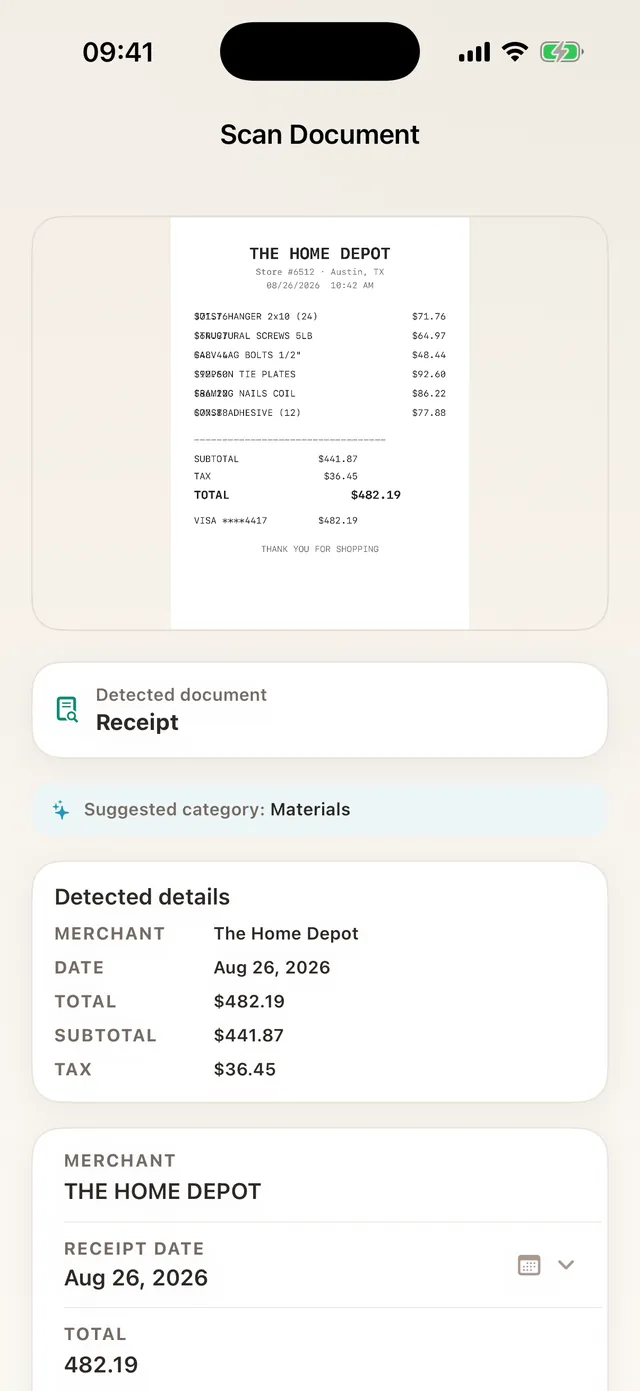
Snap it
Point at a receipt. Merchant, date and total fill in for you.
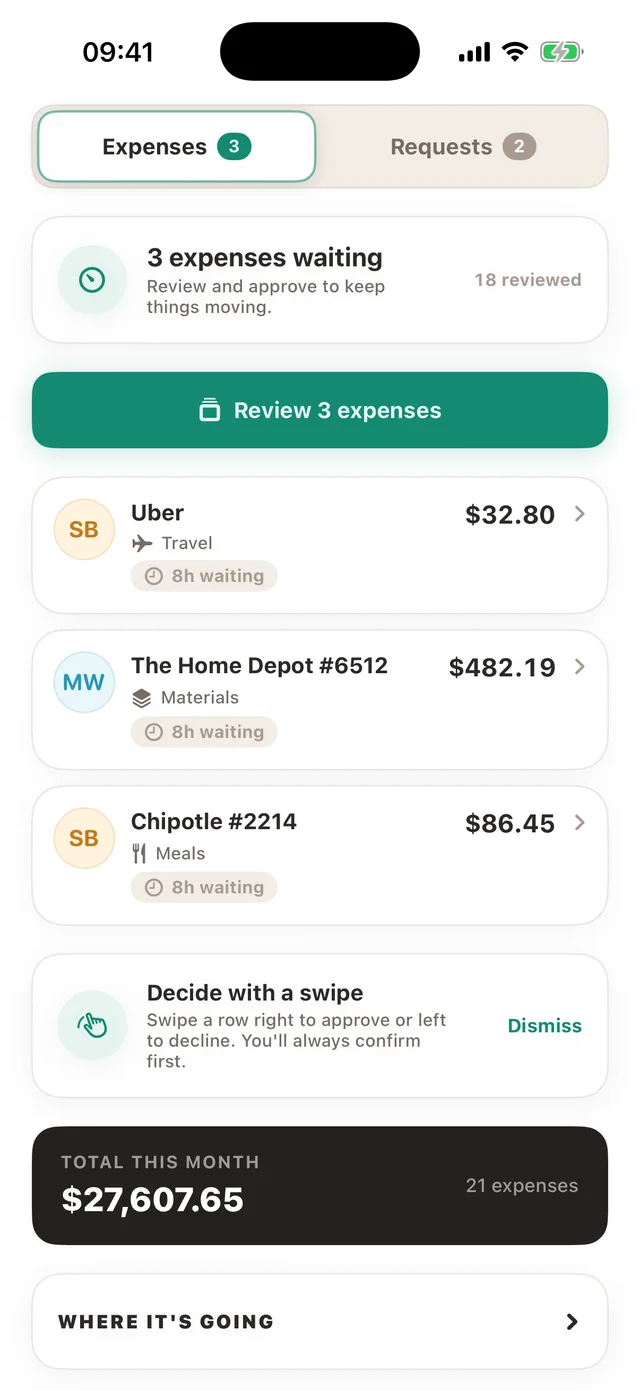
Approve it
Your approver swipes right. Spending is agreed before money moves.
See the budget
What’s spent, what’s left, and where it went, live.
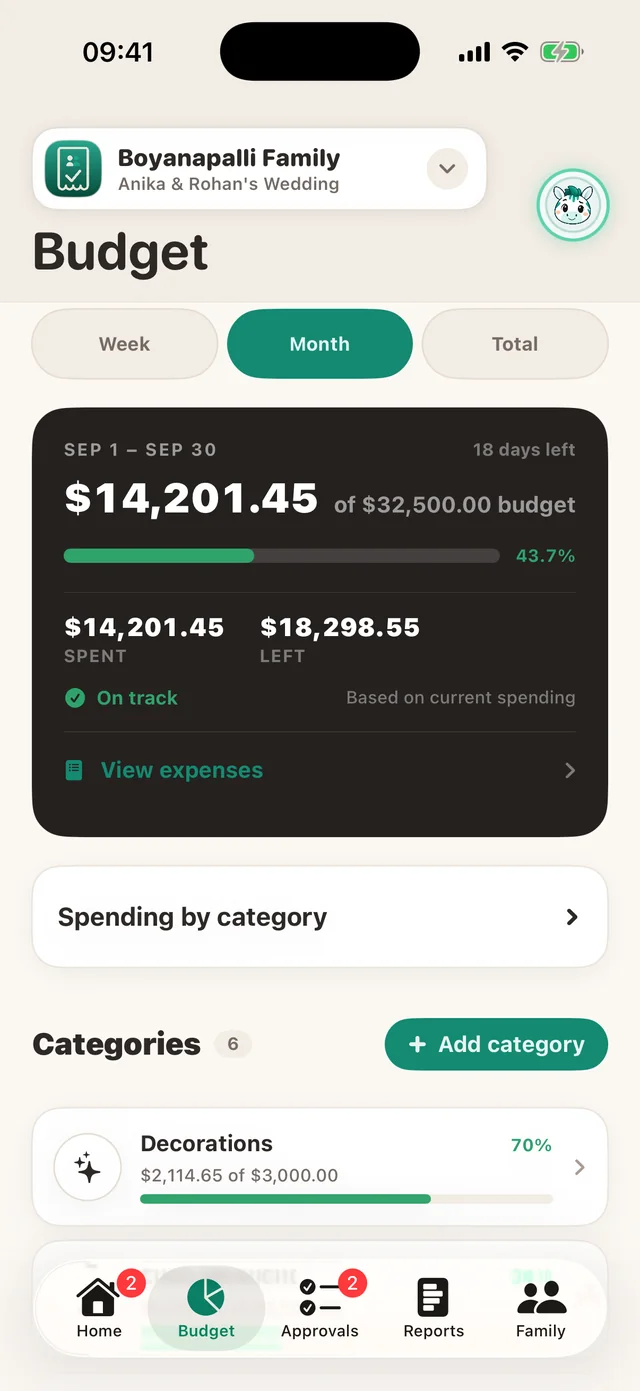
Expenses move. Approvals keep up.
Submit, review, and manage project spend worldwide.
See the app
Made for people who spend on a project

Events & weddings
Venue, catering, décor. Every deposit approved and every receipt in one place.

Contractors & job sites
The crew snaps receipts on site. You approve from anywhere, even offline.
Families
A kitchen remodel, a trip, or the monthly budget, shared with the people who spend.
Works with what you use
 Xero
Xero
 PDF reports
 CSV import & export
Questions
Is TaskSpend free?
Yes, free to start with no card needed. Premium adds more workspaces, cloud AI receipt reading, and QuickBooks and Xero sync.
Does it work on Android?
Yes. TaskSpend is on iPhone, iPad, Android and the web, with one account across all of them.
Can my team use it?
Invite people as Owners, Approvers, Members or Viewers. Members only see their own expenses.
Is my data private?
Receipts are stored privately and only people in your workspace can see them. No ads, ever.
Does it connect to my accounting?
Premium sends approved expenses to QuickBooks Online or Xero. Anyone can export PDF and CSV reports.

Get your project spending sorted.
Free to start, on every device.