An Expensify alternative for teams that spend against a project budget
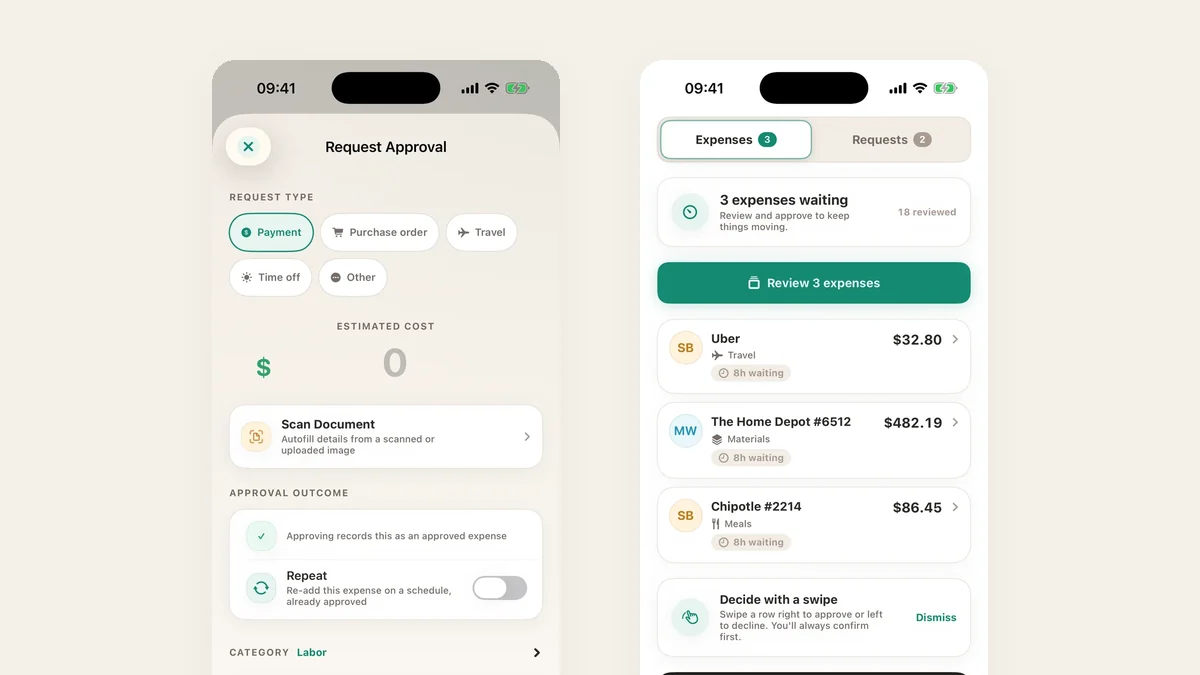
Expensify is built around the expense report: someone spends, submits a report, and finance reimburses it. That works when the question is “who do we pay back?” If your question is “are we still inside this project’s budget?”, you want the approval to happen before the money goes out, and you want the budget on the screen when it does.
Ask first, then spend
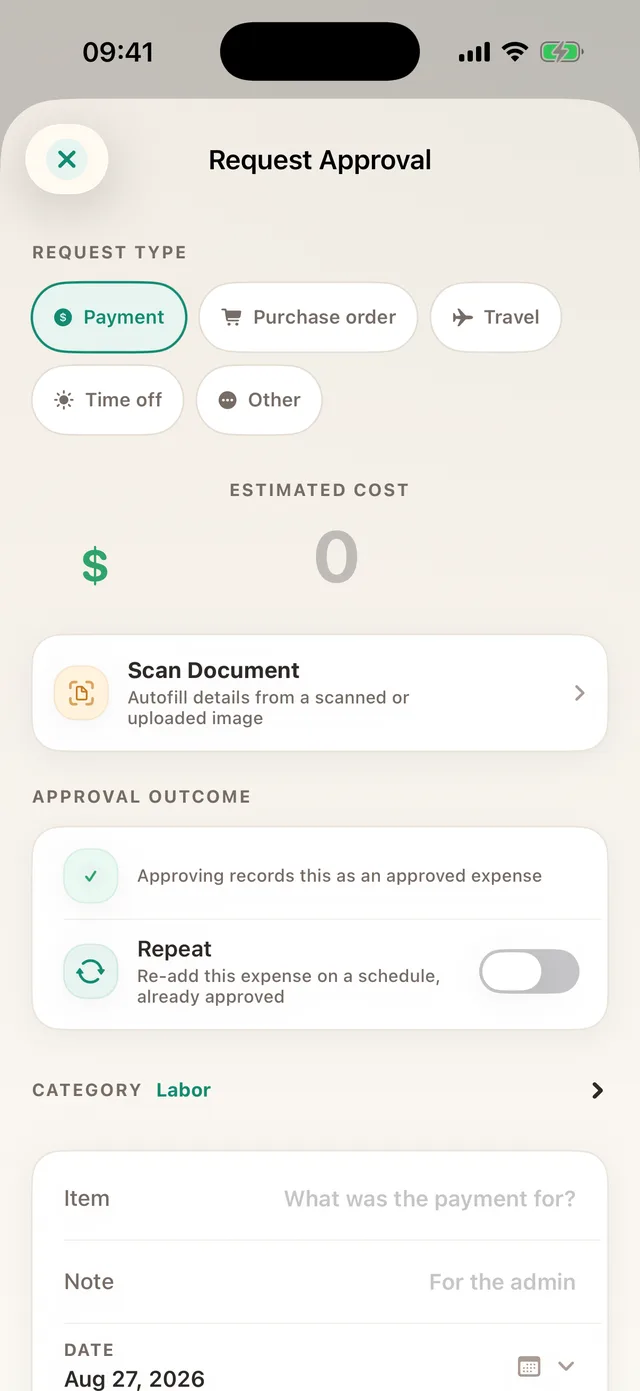
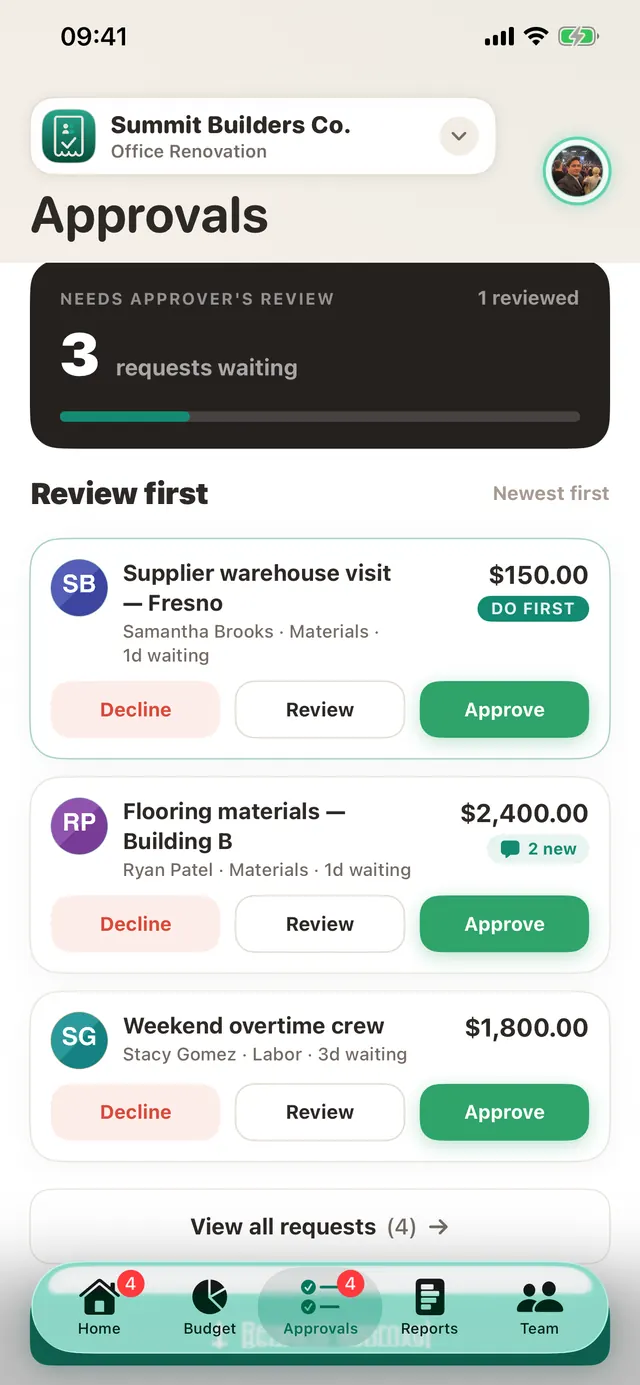
In TaskSpend a team member raises a request from their phone: a payment, a purchase order, travel or time off, with the estimated cost, the category and a scanned quote if they have one. The approver decides with the project budget in front of them. Once approved, the request becomes the expense, so nobody types it twice.
No per-user bill
Per-user pricing makes you think twice before inviting the site lead or the bookkeeper. TaskSpend charges the workspace, so adding an Approver or a Viewer costs nothing extra.
TaskSpend is priced per workspace, not per person. The free plan covers three workspaces with 10 projects and 10 people between them, and 100 expenses and 50 requests a month in each workspace. Plus ($7.99 a month) lifts those limits. Premium ($14.99 a month) adds AI document reading and QuickBooks Online and Xero sync.
What stays the same
- Receipts scanned on the phone, with merchant, date and total filled in
- Reports exported as PDF with receipts attached, or as CSV
- Expenses in many currencies, converted for the budget
Comparing more than one tool? Read TaskSpend vs Expensify, QuickBooks and Buildertrend.