A project budget tracker app that updates itself as your team spends
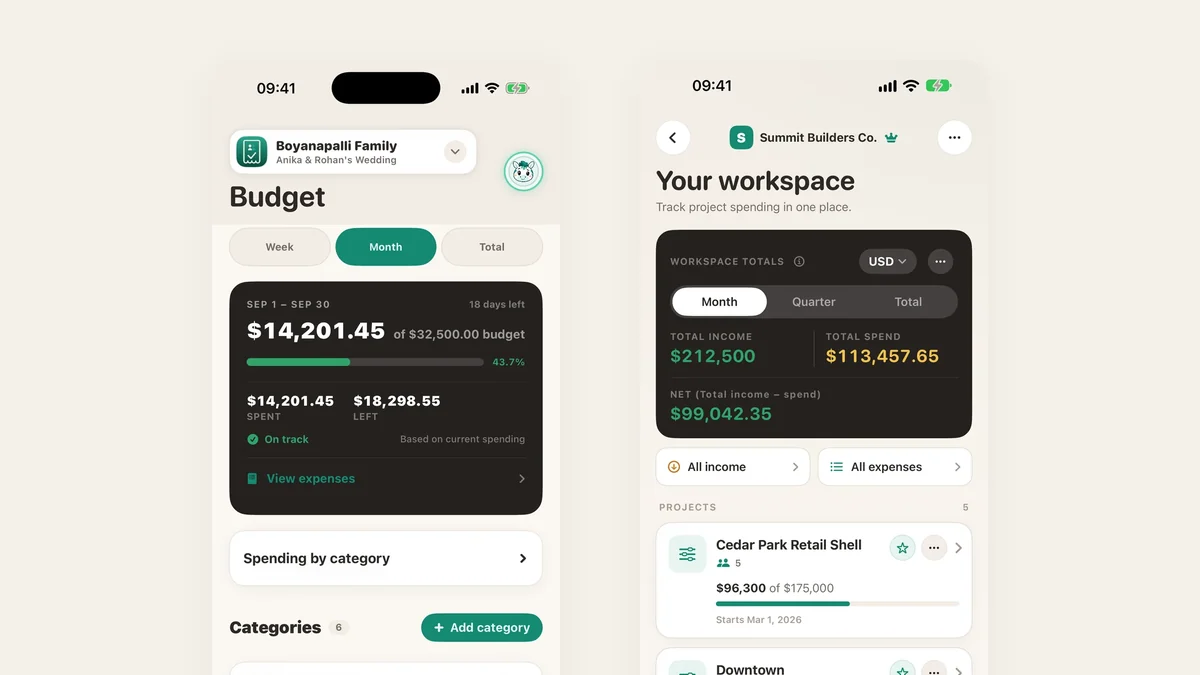
A spreadsheet budget is only as current as the last person who updated it. In TaskSpend the budget is the place expenses land, so spent and left are always today’s numbers, whether the project is a kitchen refit, a client engagement or a wedding.
Spent and left, at a glance
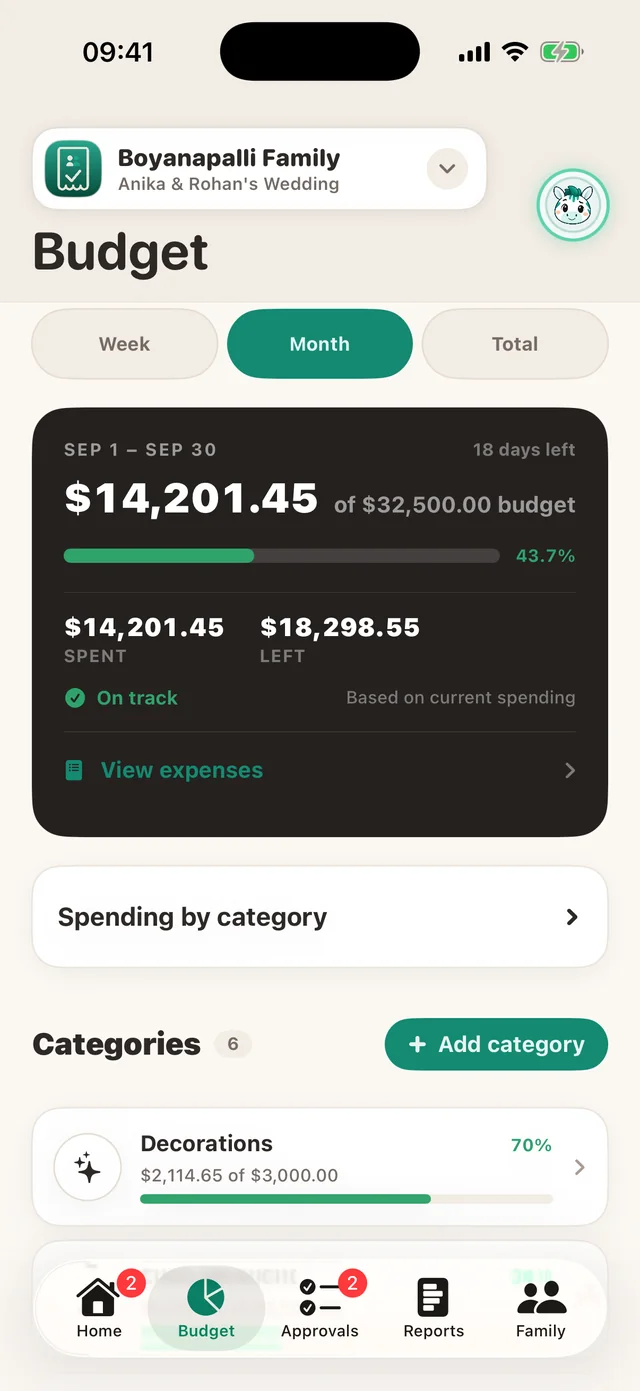
Give a project one overall budget or a monthly one, then split it into categories. The project screen shows what is spent and what is left, and a category is flagged the moment it goes over its share.
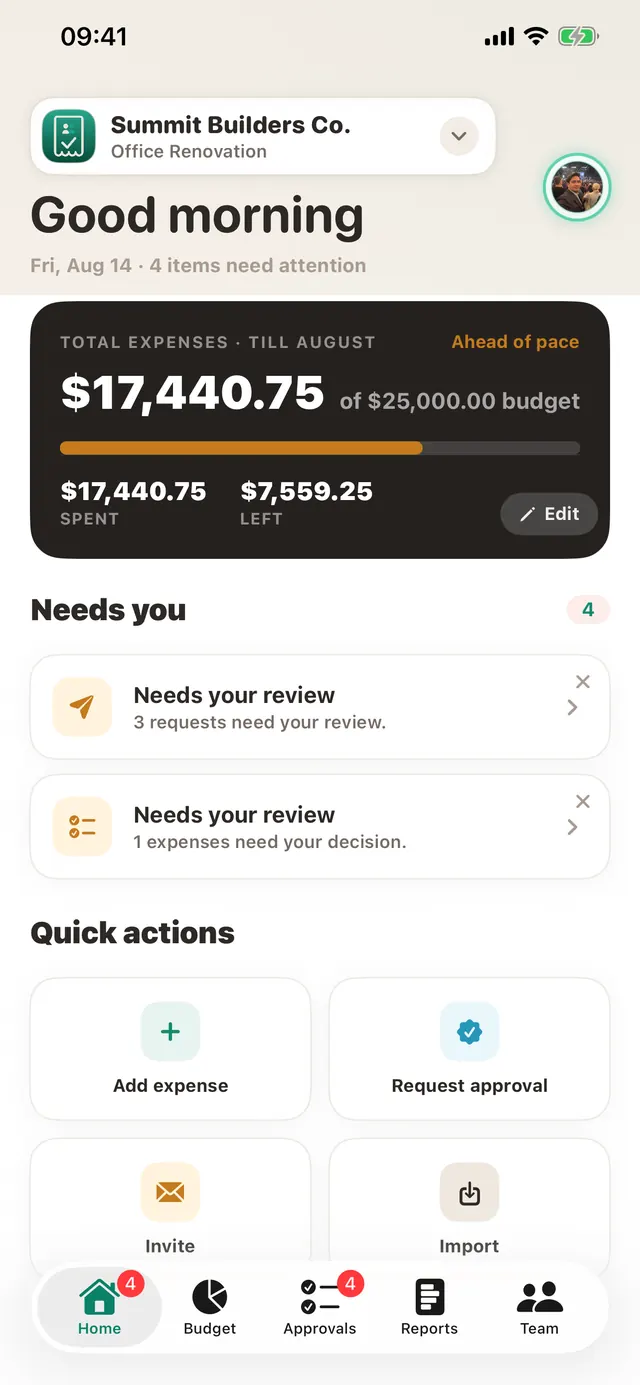
Every project in one place
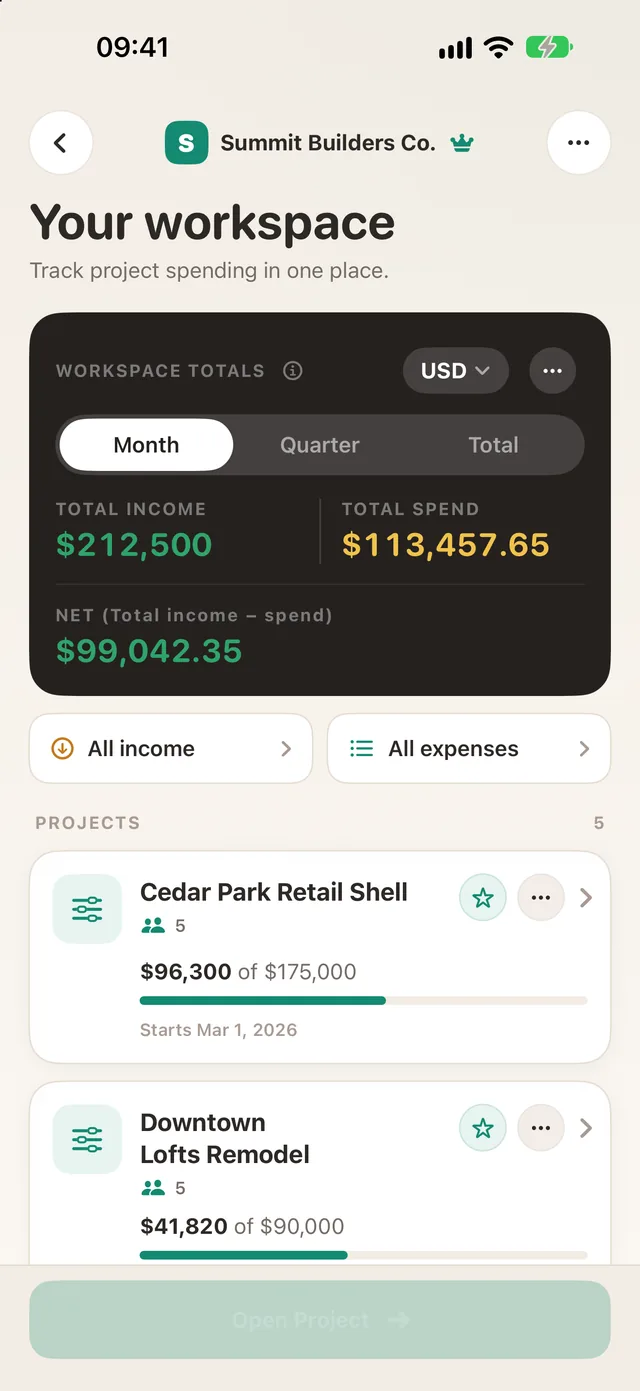
The workspace screen adds up income and spending across all your projects, by month, quarter or in total, in the workspace’s currency.
A report you can hand over
Generate a project summary with budget, approved spend, pending items and spend by category, then share it as a PDF or CSV.
TaskSpend is priced per workspace, not per person. The free plan covers three workspaces with 10 projects and 10 people between them, and 100 expenses and 50 requests a month in each workspace. Plus ($7.99 a month) lifts those limits. Premium ($14.99 a month) adds AI document reading and QuickBooks Online and Xero sync.
Choosing between budget and expense tools? Read TaskSpend vs Expensify, QuickBooks and Buildertrend.