A construction expense tracking app for small crews: one budget per job
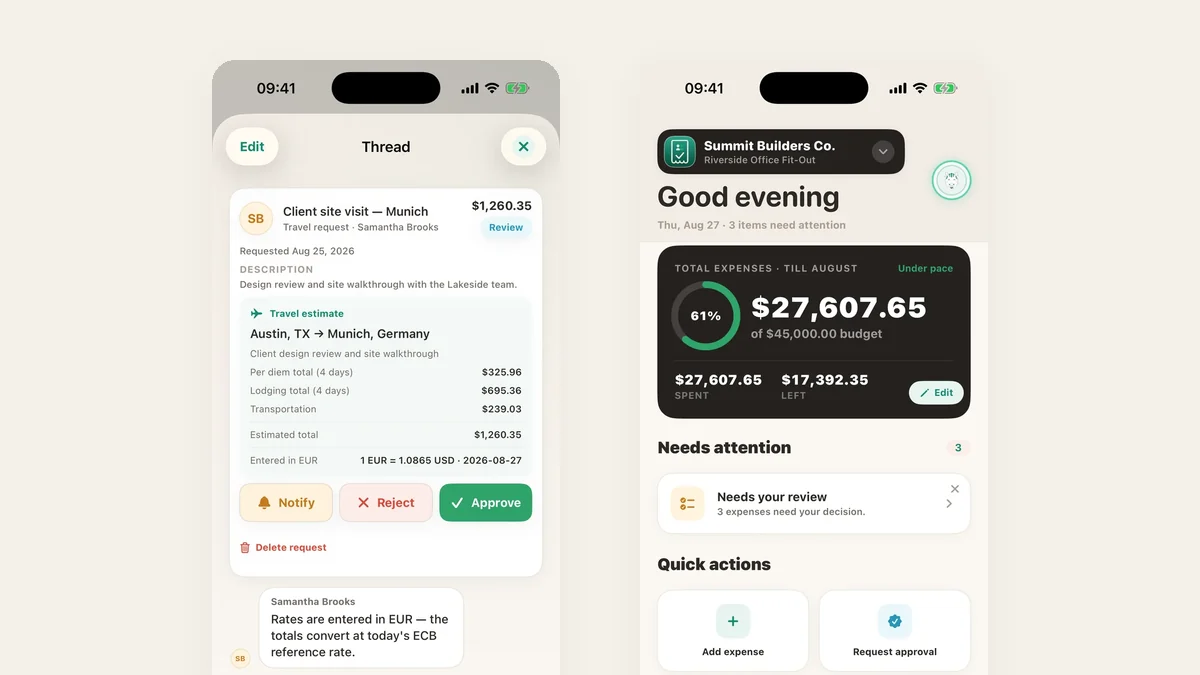
On a small job the margin disappears a receipt at a time. TaskSpend gives every job its own budget, split the way you estimate it, and keeps it current from the crew’s phones.
Budget the job the way you quote it
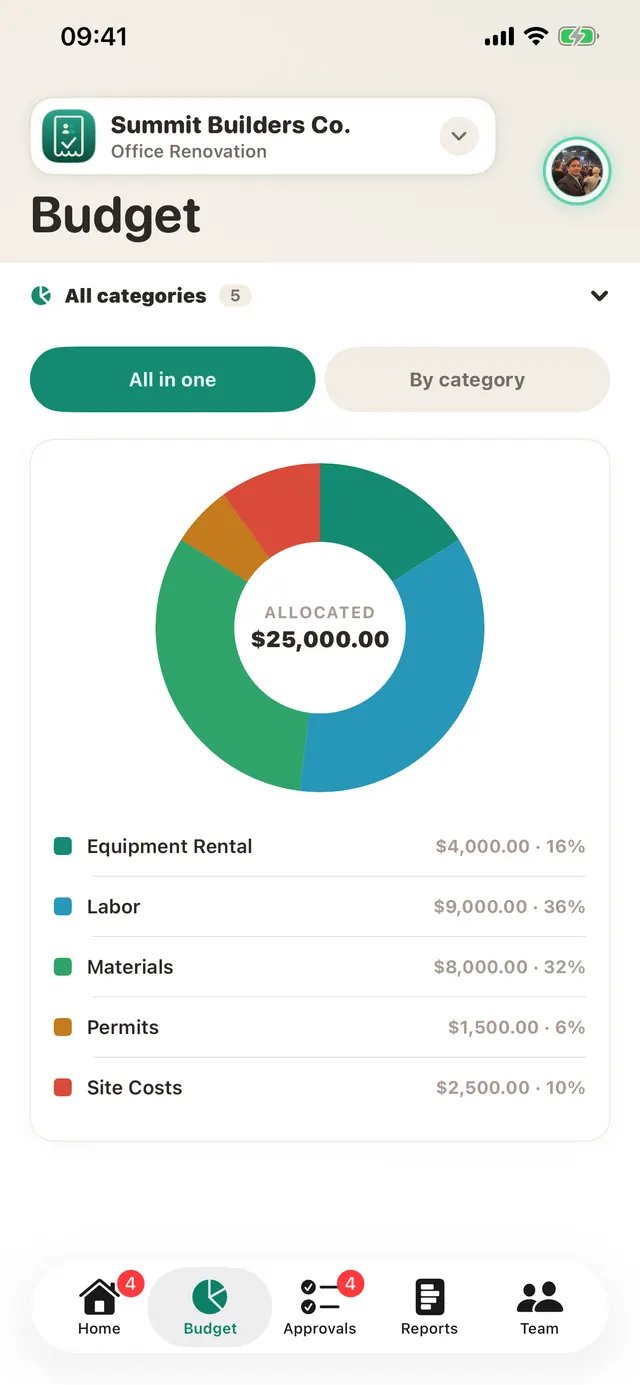
Split the job into categories such as Equipment Rental, Labor, Materials, Permits and Site Costs. Every expense lands in one of them, and a category that goes over its allocation is flagged straight away.
Receipts filed at the counter
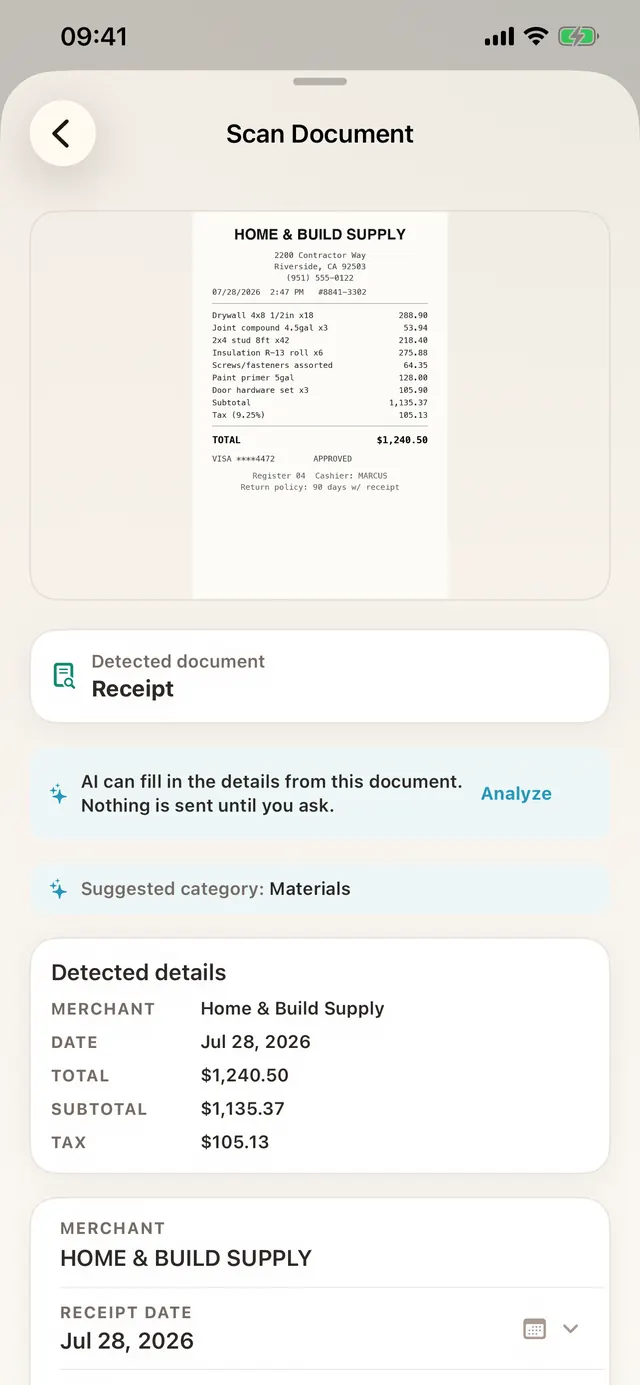
The crew scans the receipt before leaving the supply house. Merchant, date, subtotal, tax and total fill in, and the category is suggested.
Mileage and per diem, estimated before the drive
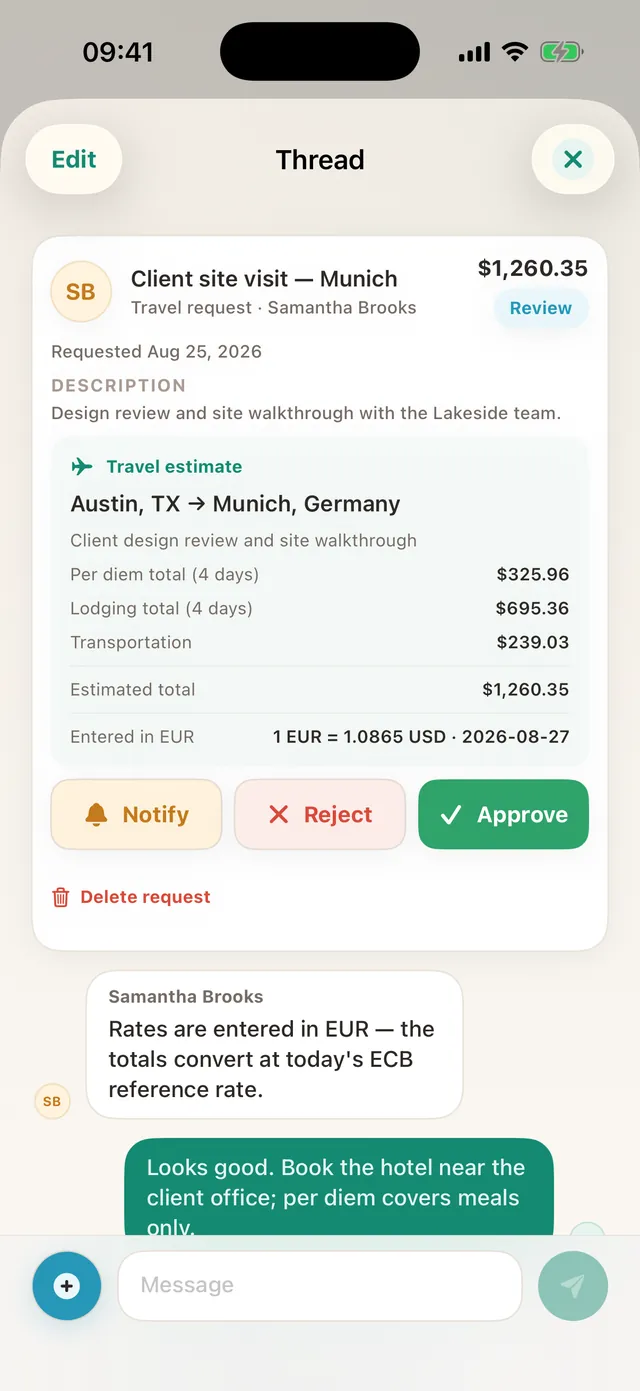
Travel requests work out per diem, lodging and mileage up front, in other currencies too, so the approver sees the whole cost before anyone sets off.
Roles that fit a crew
Owners and Approvers see the whole job and the approval queue. Members see only their own expenses, so nobody is handed a budget sheet they should not have.
TaskSpend is priced per workspace, not per person. The free plan covers three workspaces with 10 projects and 10 people between them, and 100 expenses and 50 requests a month in each workspace. Plus ($7.99 a month) lifts those limits. Premium ($14.99 a month) adds AI document reading and QuickBooks Online and Xero sync.
Considering Buildertrend or Procore too? Read TaskSpend vs Expensify, QuickBooks and Buildertrend.