TaskSpend for small teams: 7 tools compared on price and fit (2026)
Expensify is a capable expense-report and corporate-card platform. But many small teams who search for an alternative are not running a finance department. They are running jobs, events and client projects, and they want three answers: how much have we spent, what is left, and who approved it. This guide compares seven tools for that kind of team, and what each one really costs.
Why TaskSpend comes out on top
- Free for a real team. 10 members, 10 projects and 3 workspaces on the free plan. Expensify’s free plan is for individuals; Zoho Expense’s stops at 3 users.
- The lowest price when you grow. $79.99 a year for Plus, $149.99 for Premium, for the whole workspace. No per-person bill.
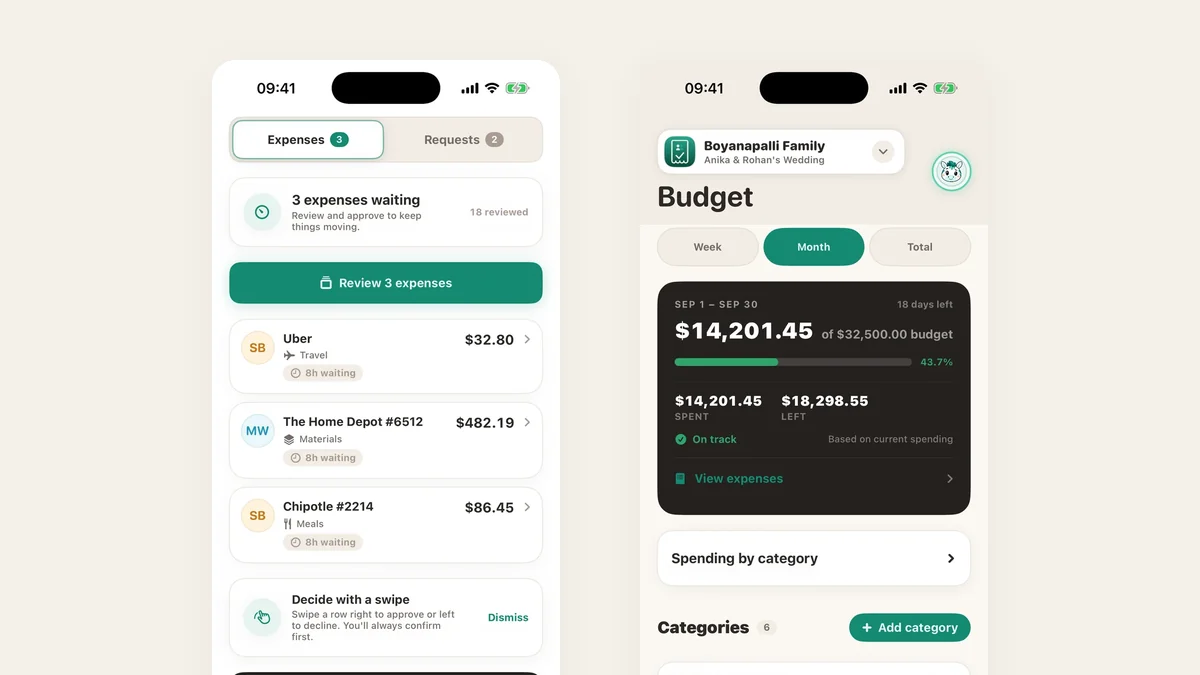
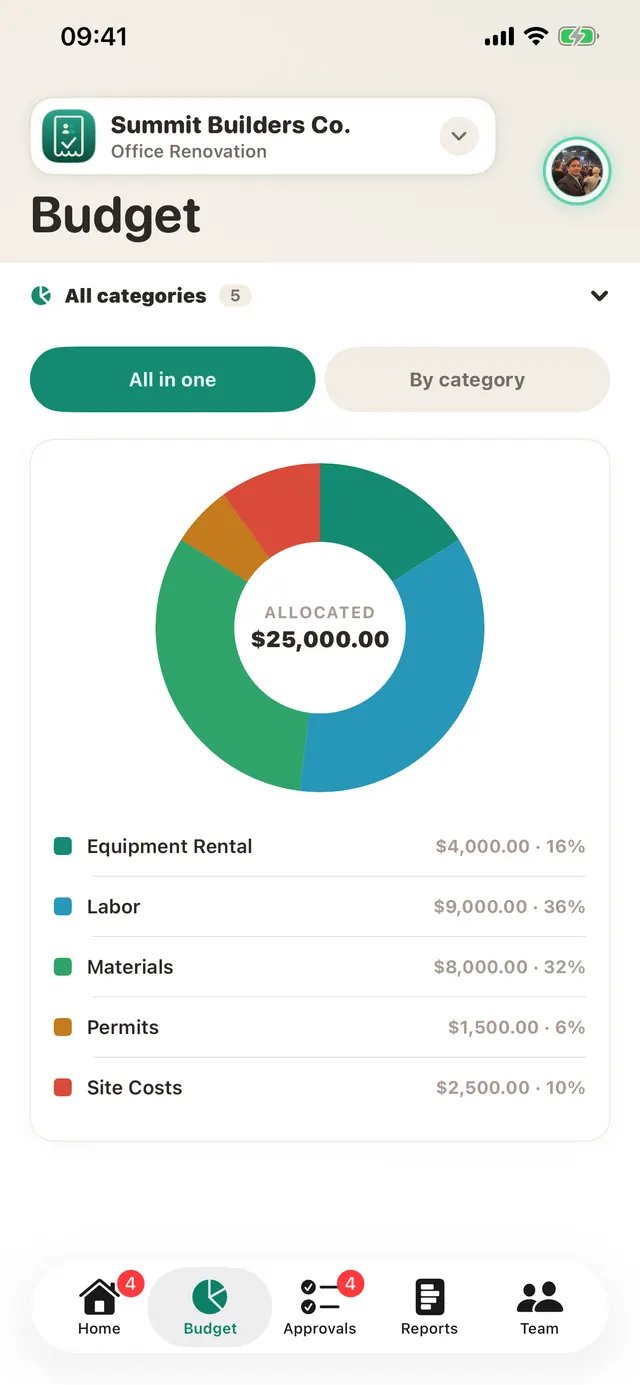
- Built around the project budget. Every expense lands on a project and category, so you always see spent and left, not just a pile of reports.
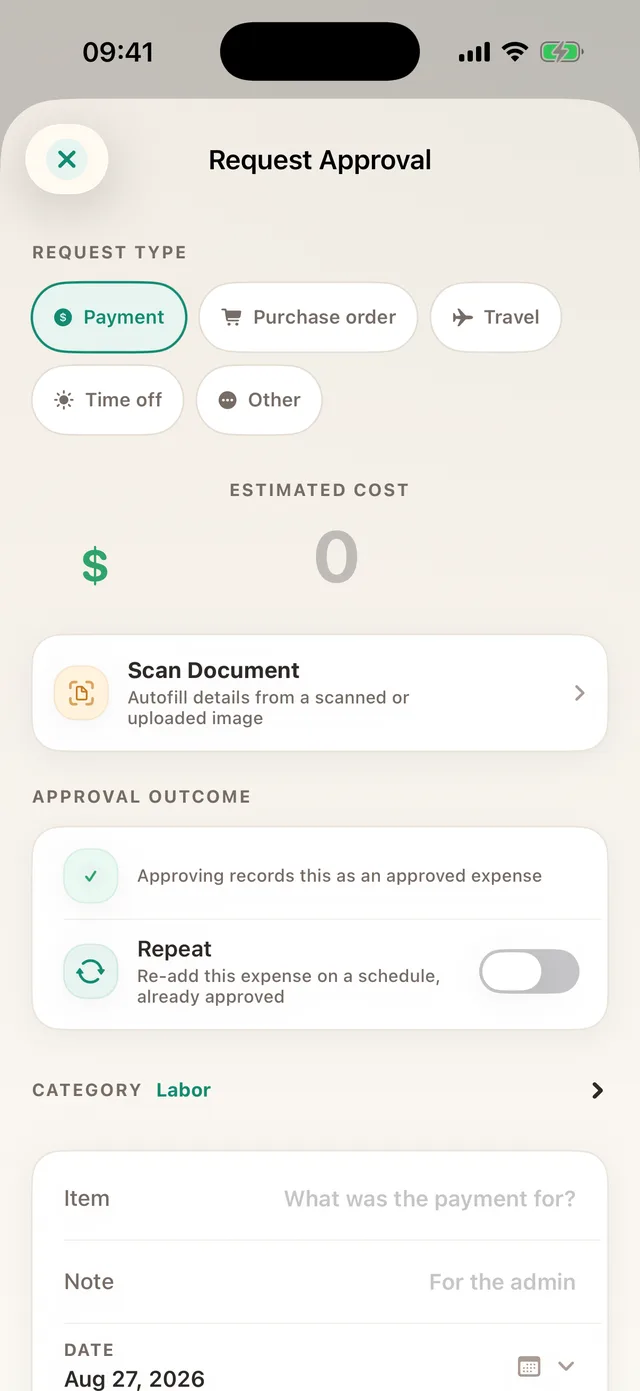
- Approve before you spend. Requests for purchases, purchase orders, deposits, mileage and per diem, decided with the budget on screen.
- Everything in one app. Receipts, approvals, budgets, income, invoices and receipts, reports, and QuickBooks Online and Xero sync, on iPhone, iPad, Android and the web.
The alternatives at a glance
| Tool | What it is | Best for | Starting price |
|---|---|---|---|
| TaskSpendBest value | Project budgets, receipts, requests, approvals and invoices in one app | Small teams spending against a project budget | Free: 10 members, 10 projects, 3 workspaces. Plus $7.99/mo (100 members), Premium $14.99/mo (unlimited members) |
| Expensify | Expense reports, corporate card and travel | Teams that reimburse employees and run travel | Free for individuals only; from $5 per member/mo |
| Zoho Expense | Expense reports inside the Zoho suite | Teams already on Zoho Books or Zoho CRM | Free up to 3 users; paid plans per user |
| Dext | Receipt and invoice data extraction | Bookkeepers processing documents for clients | No free plan; about $18 to $25/mo (est.) |
| QuickBooks Online | Accounting software | Your books, payroll, reconciliation and tax | Plus, with projects, about $140/mo |
| Buildertrend | Full residential construction management | Builders who need scheduling, bids and client portals | About $339 to $829/mo (est.) |
| Knowify | Job costing for trade contractors | Trades running bids, contracts and progress billing | From $99/mo for 1 user, +$29 per user |
| Procore | Enterprise construction platform | General contractors with large annual volume | Quote-based, often $15,000+/yr (est.) |
Prices are each company’s public list price where one is published, otherwise third-party estimates, in US dollars as of October 2026. Check the vendor before you buy.
What a 10-person team pays in a year
Headline prices hide how bills grow. Most tools here charge per person, so a ten-person team pays ten times. TaskSpend charges the workspace, so the eleventh person costs the same as the first.
| Tool | Plan | 10 people, 12 months |
|---|---|---|
| TaskSpend | Free: 10 members, 10 projects, 3 workspaces | $0 |
| TaskSpend | Plus, yearly: up to 100 members, unlimited projects | $79.99 ($59.99 founders first year) |
| TaskSpend | Premium, yearly: unlimited members, QuickBooks Online and Xero sync, AI document analysis, and every new Premium feature as it is added | $149.99 ($129.99 founders first year) |
| Expensify | Collect, $5 per member/mo | $600 |
| Knowify | Advanced, 10 users, yearly | about $3,950 |
| Buildertrend | Essential (est.) | about $4,000 or more |
| Procore | Annual contract (est.) | $15,000 or more |
For most small teams that is the value case in one line: TaskSpend Premium for a whole year costs less than three months of Expensify Collect for ten people.
How to choose
Five questions narrow the field faster than any feature grid.
- Do you spend against a budget? If each job, event or client has a budget, you want a tool where expenses land on that budget as they are approved. That is TaskSpend’s core. Expense-report tools show you what was spent; they rarely show what is left.
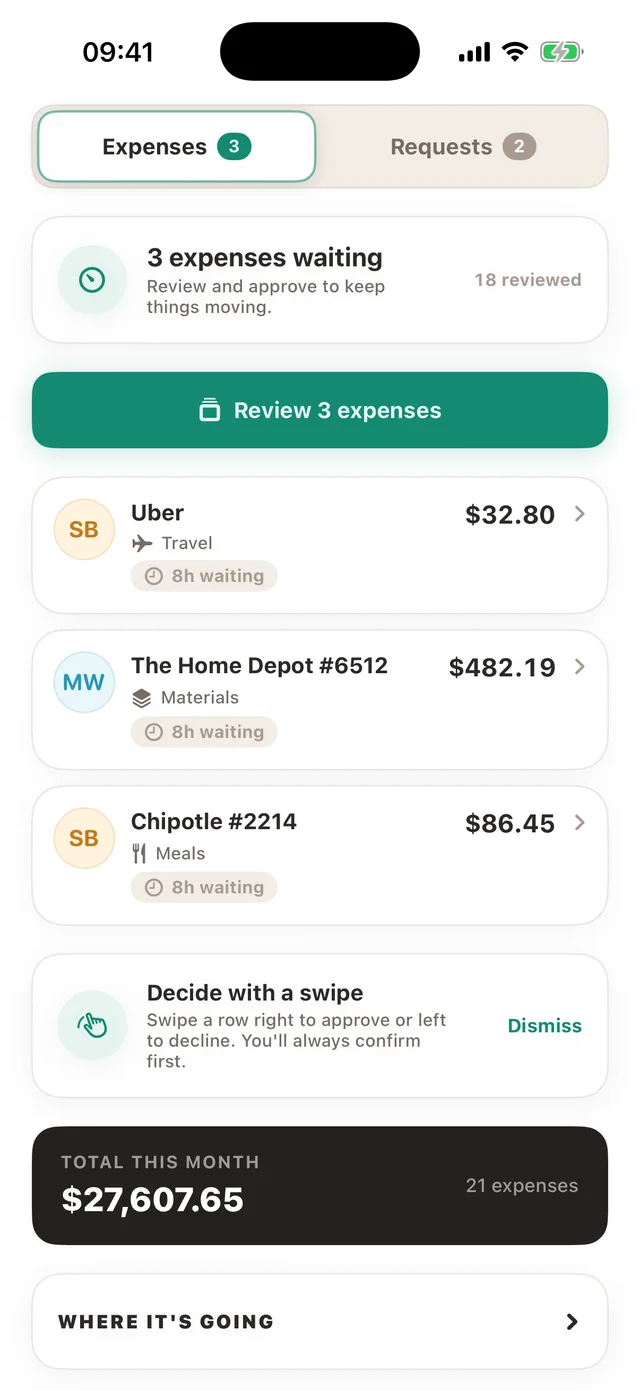
- Do you need to approve before money goes out? TaskSpend has requests for purchases, purchase orders, deposits, mileage and per diem, decided with the budget on screen. Most report tools approve after the fact.
- Do you need corporate cards, payouts or travel booking? If yes, look at Expensify. TaskSpend records and approves spending; it does not issue cards, move money or book flights.
- Where do your books live? TaskSpend Premium pushes approved expenses to QuickBooks Online or Xero. Every plan exports PDF with receipts attached, or CSV.
- What will it cost when the team grows? Multiply the per-user price by next year’s headcount. A workspace price does not move.
Expensify: strong on reports and cards
Expensify is a good fit if your main job is reimbursing employees, managing corporate cards and booking travel. It is mature, widely used and works with existing cards. For a small project team the fit is weaker: pricing is per member, and its model is the expense report rather than the project budget. If what you need is “ask first, then spend, then see what is left”, TaskSpend does that for a fraction of the price. More in our Expensify alternative page.
Zoho Expense: good value inside Zoho
If your business already runs on Zoho Books or Zoho CRM, Zoho Expense slots in neatly and the free plan is useful. The free plan stops at three users, though, and paid plans are per user. TaskSpend’s free plan covers ten people and three workspaces, with receipt scanning, approvals, budgets and reports included.
Dext: the bookkeeper’s inbox
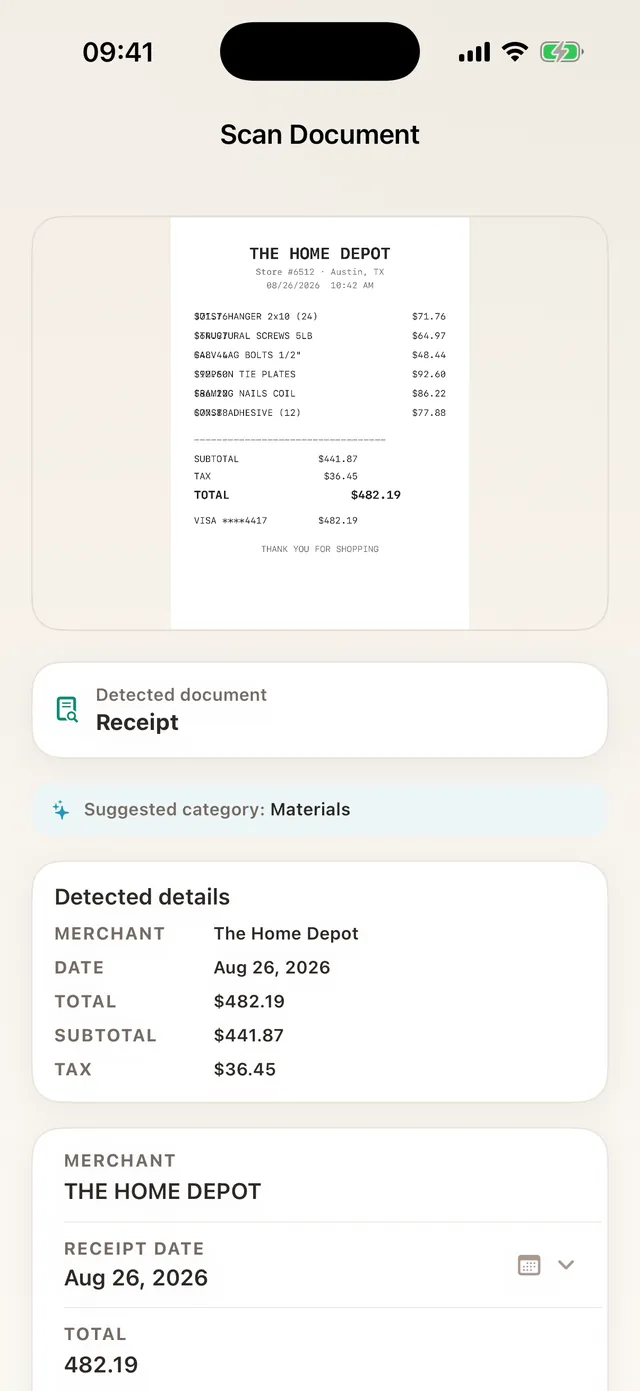
Dext is excellent at pulling data off receipts and invoices and publishing it to accounting software, especially for accountants handling many clients. It is not built to give a team a project budget, spending requests or an approval queue, and there is no free plan. TaskSpend reads receipts on the phone, files them to a project and category, and keeps the approval with them. See TaskSpend as a Dext alternative.
Where QuickBooks Online fits
QuickBooks Online shows up in these searches, but it is accounting software, and TaskSpend does not try to replace it. Use TaskSpend for capture, requests, approvals and live project budgets, then push approved expenses into QuickBooks Online (or Xero) with Premium. Your bookkeeper gets clean, approved, categorised records. More on project expenses for QuickBooks Online.
Buildertrend, Knowify and Procore: when you need the whole platform
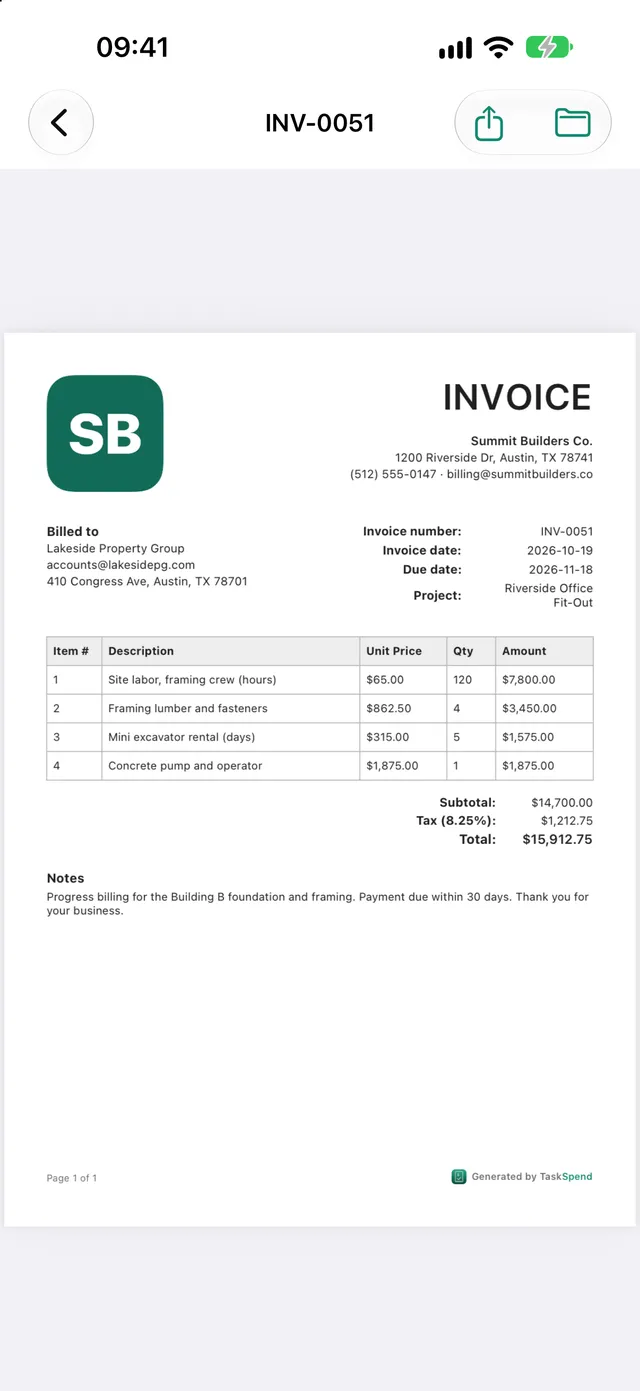
These are serious construction platforms. Buildertrend covers scheduling, bids, selections and client portals; Knowify covers bids, contracts and progress billing for trades; Procore runs large commercial jobs. If you need those, they are worth the price. If what you need is job budgets, receipts from site, purchase-order requests, approvals and an invoice at the end, TaskSpend does that for a small crew at a fraction of the cost and without a rollout. See the Buildertrend alternative page and construction expense tracking.
When to choose TaskSpend
- You run projects. Jobs, events, renovations, weddings, client work: each gets its own budget by category, updated as expenses are approved.
- You want approval before the spend. Requests, a thread for questions, and a decision with the budget on screen. Small routine buys can approve themselves under a limit you set.
- You want it simple. Four roles (Owner, Approver, Member, Viewer), on iPhone, iPad, Android and the web. Expenses can be captured offline and sync when you are back online.
- You want the best value. Free for small teams. When you outgrow it, $79.99 a year for Plus or $149.99 for Premium, for the whole workspace, not per person.
| Plan | Price | What you get |
|---|---|---|
| Free | $0 | 3 workspaces sharing 10 projects and 10 people; 100 expenses and 50 requests a month per workspace; 5 invoices or receipts a month |
| Plus | $7.99/mo or $79.99/yr | Up to 100 members, unlimited projects, expenses, requests and invoices |
| Premium | $14.99/mo or $149.99/yr | Unlimited members, everything in Plus, AI document analysis, QuickBooks Online and Xero sync, and every new Premium feature as it is added |
How to switch
- Keep your history where it is. Export reports and receipts from your current tool for your records. There is nothing to migrate on day one.
- Start one project. Set its budget and categories, and invite only the people who spend or approve.
- Bring in recent spending. Import a bank or card statement as PDF or CSV and each line becomes a categorised expense.
- Connect your books when ready. With Premium, link the project to QuickBooks Online or Xero and push approved expenses across.