TaskSpend vs Ramp: which one fits a small team?
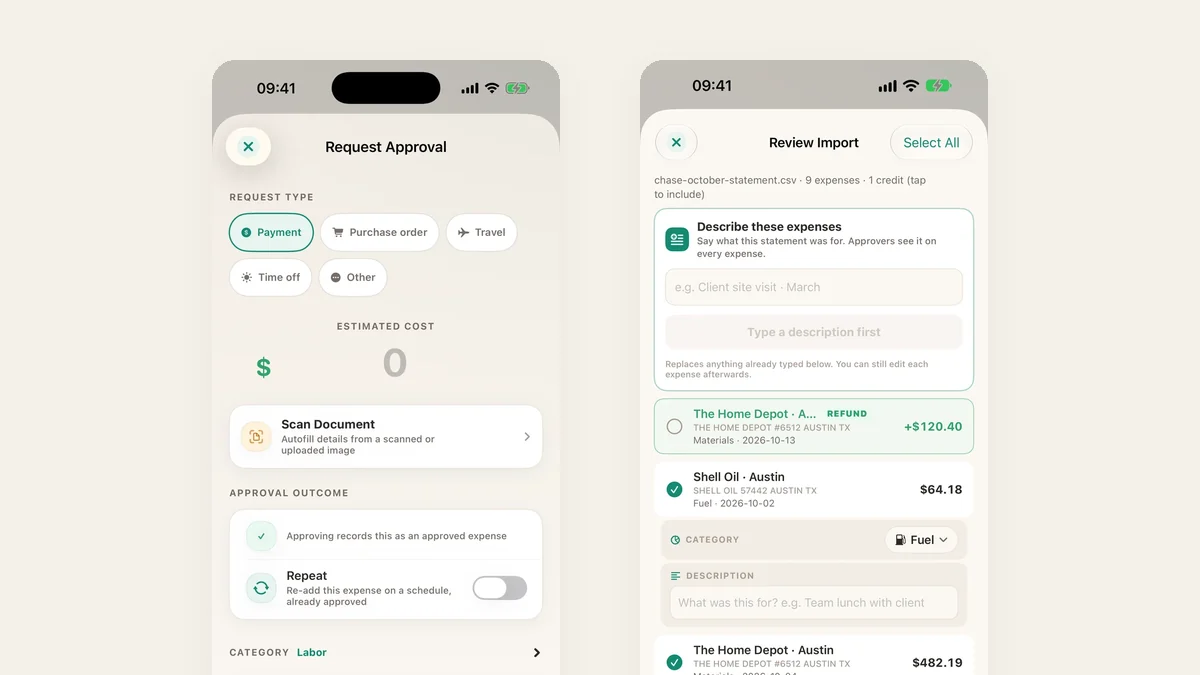
Ramp and TaskSpend both promise to get spending under control, but they start from opposite ends. Ramp is a corporate card for US companies, with expense software built around the card. TaskSpend is expense, approval and budget software that works with whatever you already pay with, for teams, sole traders and families anywhere. For most small teams that difference decides it, and here is why.
The short answer
| TaskSpend | Ramp | |
|---|---|---|
| Who can sign up | Anyone with an email: businesses, sole traders, families, any country | US corporations, LLCs and LPs with an EIN and at least $25,000 in a US business bank account; no sole proprietors |
| Cards and bank | Keep the cards and bank you have | Spending moves onto Ramp cards |
| Free plan | 3 workspaces, 10 projects, 10 people, 100 expenses a month each | Free tier, if you qualify |
| Paid plans | Plus $7.99 or Premium $14.99 a month, per workspace | Plus $15 per user a month, plus a platform fee |
| Approval before the spend | Built in: requests with cost, quote and budget on screen | Card limits and spend requests tied to cards |
| Project budgets | Every expense on a project and a category, live | Budgets by team and card |
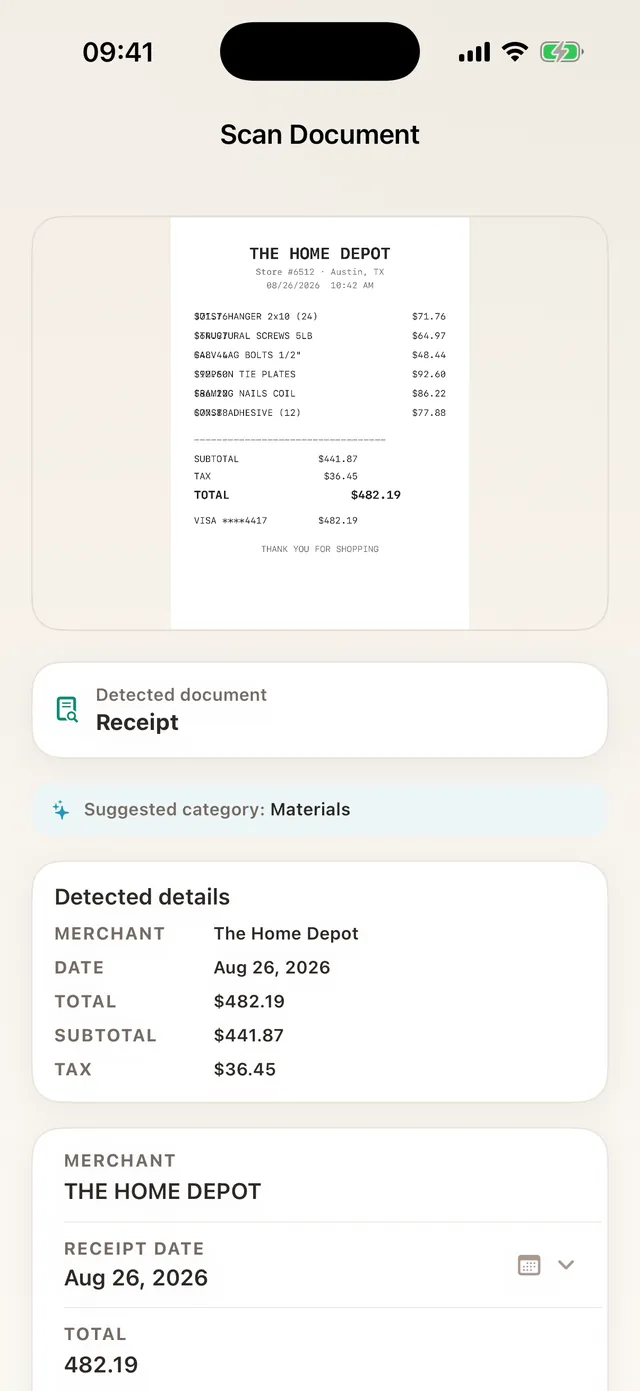
| Receipts | Scanned and read on your phone, crumpled or PDF | Matched to card transactions |
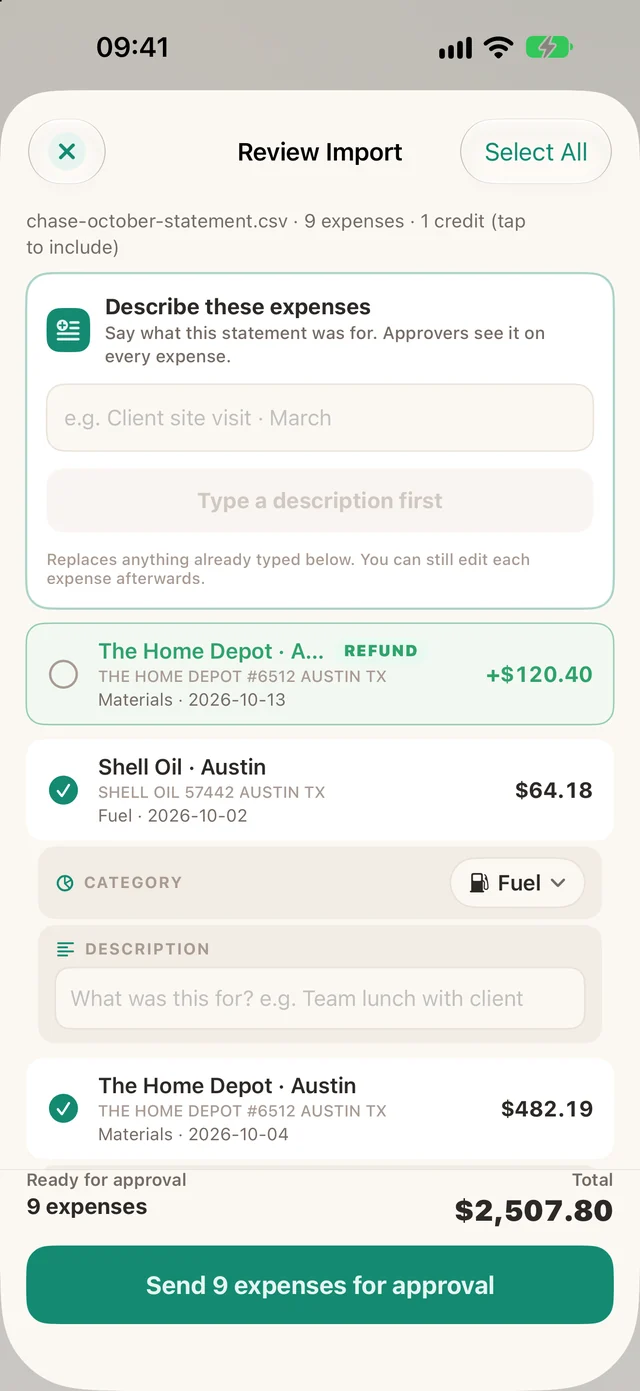
| Card statements | Import CSV or PDF, read on the phone | Not needed: spend is on Ramp cards |
| Currencies | About 165, converted at the day’s ECB rate | US dollar accounts; local cards on Enterprise |
| Apps | iPhone, iPad, Android and the web | Web and mobile |
Ramp details from ramp.com/pricing and Ramp’s US application requirements, checked 26 October 2026.
1. You can use TaskSpend today
Ramp is a credit product, so it has to check you first: a registered US company, an EIN, a US street address and $25,000 in the bank. Sole proprietors are not accepted. A new contractor, a freelancer, a family running a renovation, or a team in London, Lagos or Bangalore cannot get in.
TaskSpend has no application. Sign in with Apple or Google, create a workspace, and you are tracking spending in a couple of minutes, in your own currency.
2. No new card, no bank switch
Ramp works best once everyone spends on Ramp cards. That means a new card for each person, new limits, and moving subscriptions and suppliers across. TaskSpend skips all of it. Pay the way you pay today and capture it in TaskSpend:
- Scan the receipt: crumpled, faded or a PDF, read on the phone in seconds.
- Import the card statement: CSV or PDF, read on the phone, card numbers never uploaded, nothing sent until you approve the rows.
- Add it by voice with Siri, or type it in.
3. Approval happens before the money goes out
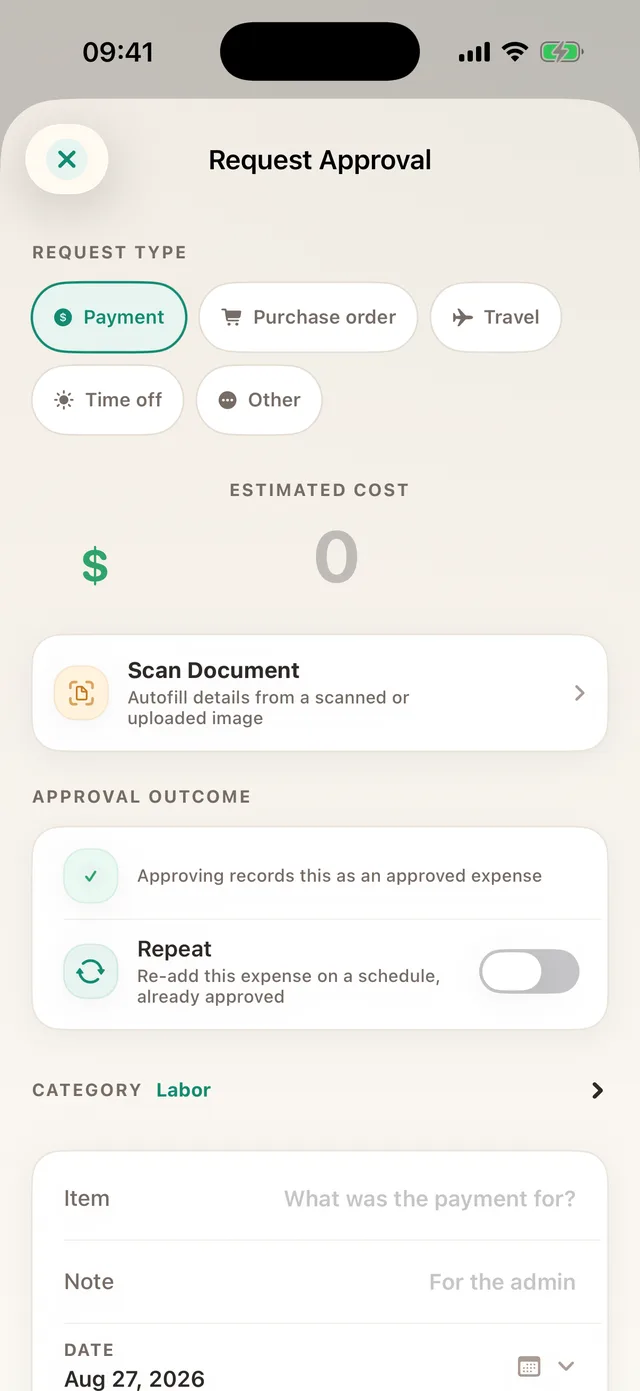
A card limit tells you when someone hit the ceiling. It does not tell you whether this purchase was a good idea for this job. In TaskSpend a team member asks first, with the estimated cost, the category and a quote. The approver sees what is left in the project budget before tapping approve, and the approved request becomes the expense. For big commitments, a second reviewer can go over it first.
4. Built around projects
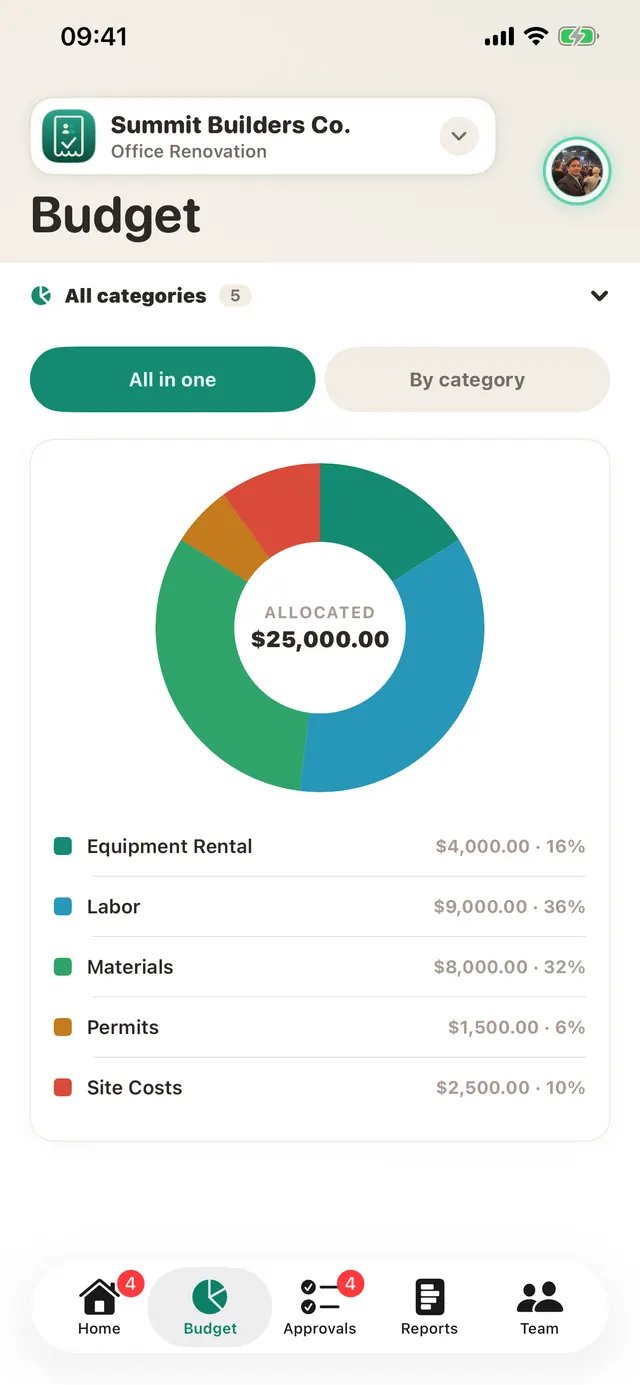
Ramp organises spend by card, team and department, which suits a finance team. TaskSpend organises it by project: a job, a client, an event, a renovation. Every expense has a project and a category such as Labor or Materials, and each project shows spent, pending and left, live. Budgets can be one total or monthly, and a category that runs over is flagged the moment it happens.
5. What 10 people pay in a year
| Plan | 10 people, 12 months |
|---|---|
| TaskSpend Free | $0 |
| TaskSpend Plus | $79.99 a year (yearly plan), whatever the team size up to 100 |
| TaskSpend Premium | $149.99 a year, with AI document reading and QuickBooks Online and Xero sync |
| Ramp Free | $0, if you qualify and move spend onto Ramp cards |
| Ramp Plus | $1,800 a year at $15 per user a month, plus a platform fee |
Add five more people and TaskSpend costs the same. Ramp Plus goes up by $900 a year.
6. Privacy first
Receipts and statements are read on your phone. Card, bank and ID numbers are masked before anything is shown or saved, and nothing reaches our servers until you approve it. Cloud AI analysis is off until you opt in, and even then only the text is sent, never the photo. TaskSpend does not lend you money, so it does not need your bank balance, your EIN or a credit check.
More you get with TaskSpend
- Invoices and receipts for your clients, with your logo, built from approved expenses
- Travel requests that work out per diem, lodging and mileage up front
- Personal and family workspaces next to your business ones, with income and cash flow
- Siri and Ask TaskSpend to add expenses and ask what you spent
- Offline capture that syncs when you are back in signal
- QuickBooks Online and Xero sync on Premium
When Ramp makes sense
If you are a US company that qualifies, wants to hand every employee a company card and pay supplier bills from the same place, Ramp does that well. If you want to keep your own cards and bank, track spending by project, approve before the spend, work outside the US, or you are a sole trader or a family, TaskSpend is the better fit, and it is free to start.
Want the short version? See a Ramp alternative that works with the cards you already have.
Try TaskSpend on your next project
Free for up to 10 people. No card, no bank switch, no minimum balance.
Get TaskSpend