What’s new in TaskSpend: August 2026
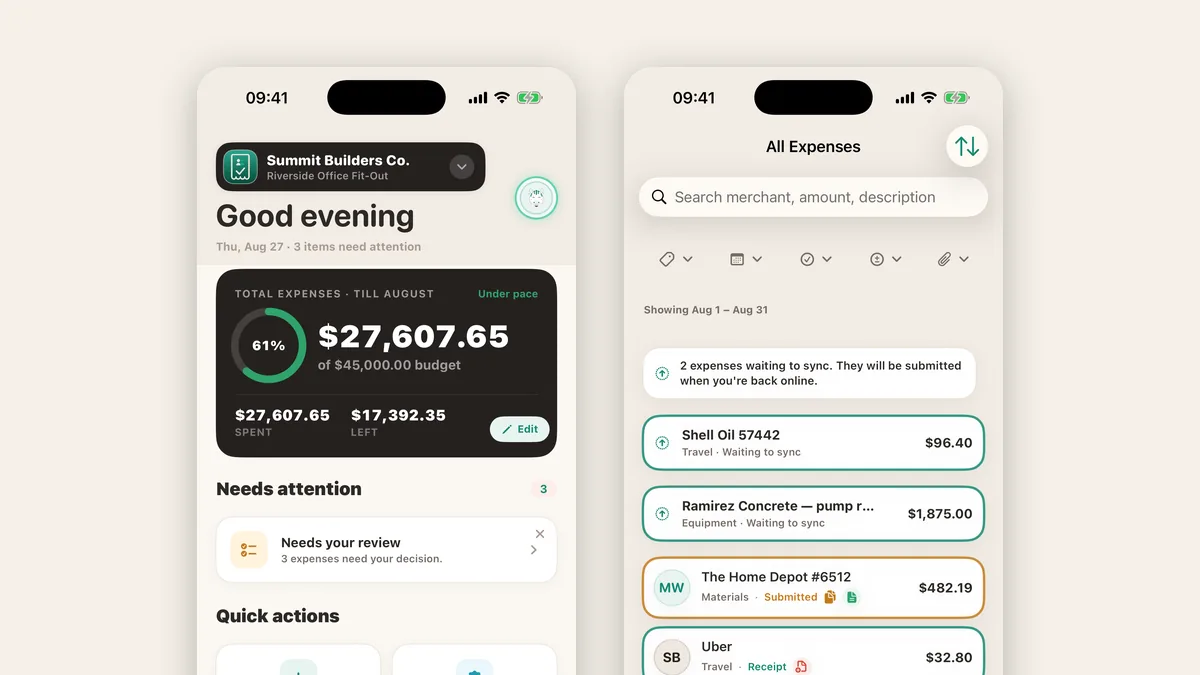
This month’s release is the biggest since launch: faster capture, friendlier billing, and a Premium subscription that stretches a lot further. Here is the tour, with links to the deeper reads.
Scan from your Lock Screen
A new Scan Receipt control sits on your iPhone Lock Screen and opens the scanner in one tap. Full setup and details in Scan an expense straight from your Lock Screen.
Invoices and Spending Review, on every plan
Turn a project’s approved expenses into a branded PDF invoice, five a month free, unlimited on Premium. And Spending Review gives approvers a month-end pass that flags near-duplicates before they reach the books. The full story: Invoices and Spending Review, now on every plan.
Expenses in any currency
Scan a euro receipt into a dollar budget and TaskSpend converts it at the day’s ECB reference rate, keeps the original amount on record, and does the same for travel requests and per-diems. Details in Euros in, dollars out: expenses in any currency.
Capture keeps working offline
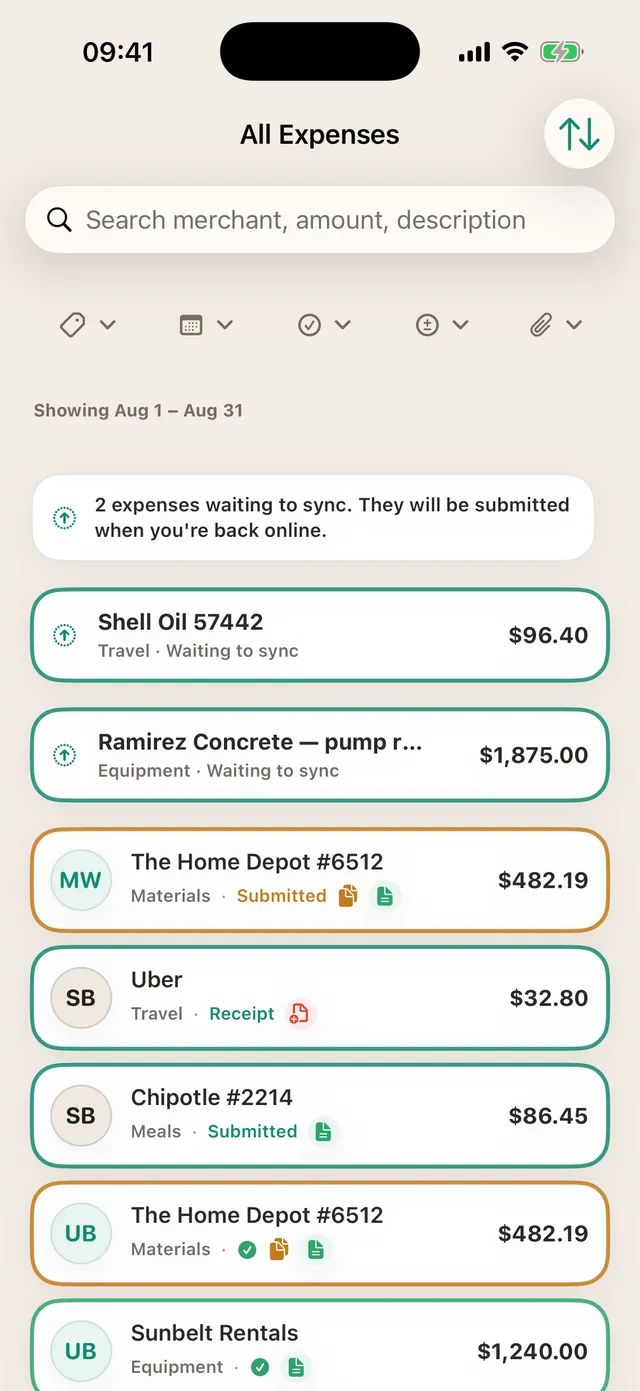
Basements, sites without signal, airplanes: expenses, receipt photos, and now approval requests all queue on your phone and submit themselves when you are back online. The list shows exactly what is waiting, so nothing is mysterious and nothing is lost.
One Premium covers every organization you own
If you run more than one company, or keep client work in separate organizations, one Premium subscription now covers them all: up to 3 organizations, 20 projects, and 50 teammates pooled across everything you own. No second subscription, no picking a favourite.
A refreshed Home, and a sharper Report Center
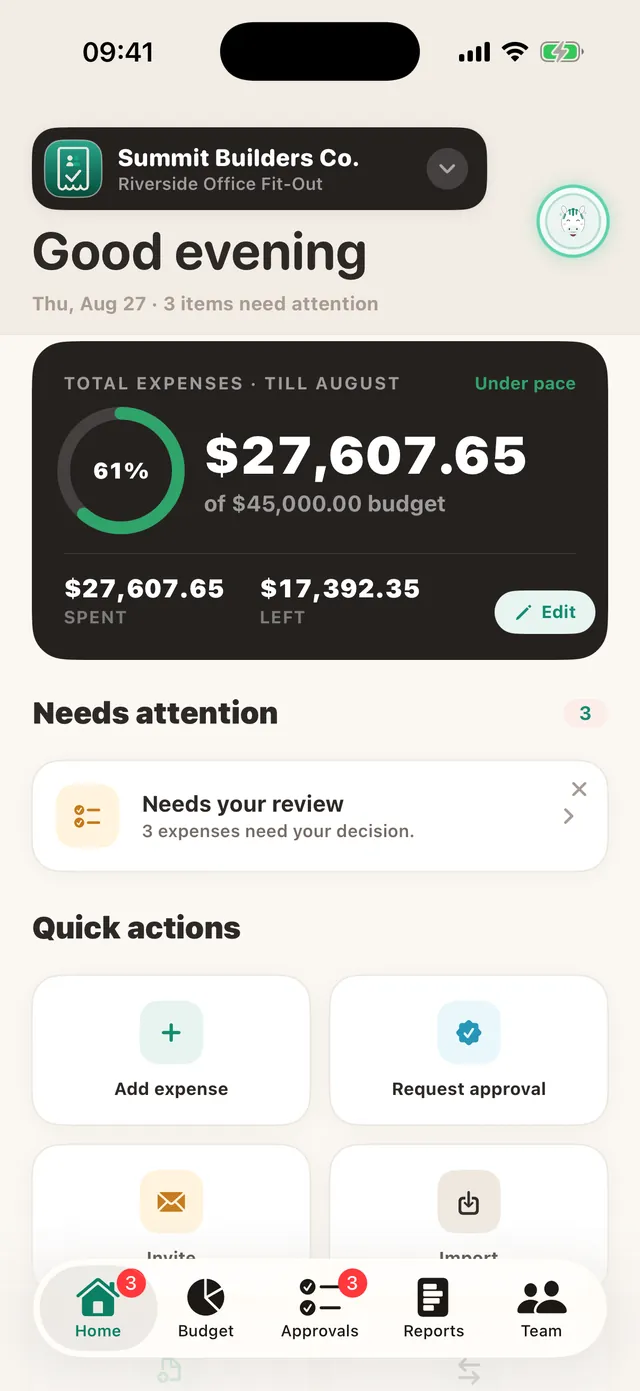
The dashboard got a cleaner look: a single spending summary with pace at a glance, a Needs attention inbox that only speaks up when something needs a decision, and quick actions for the things you do daily. The Report Center picked up clearer filters, and invoicing lives right beneath it.
Everything above is live in the current App Store build. If your team has been waiting for a reason to move off the spreadsheet, this release is a good one.
See it all in the app
TaskSpend is free to start, ten projects, ten people, no card needed.
Get TaskSpend