TaskSpend is now on the web, for the people who approve and report
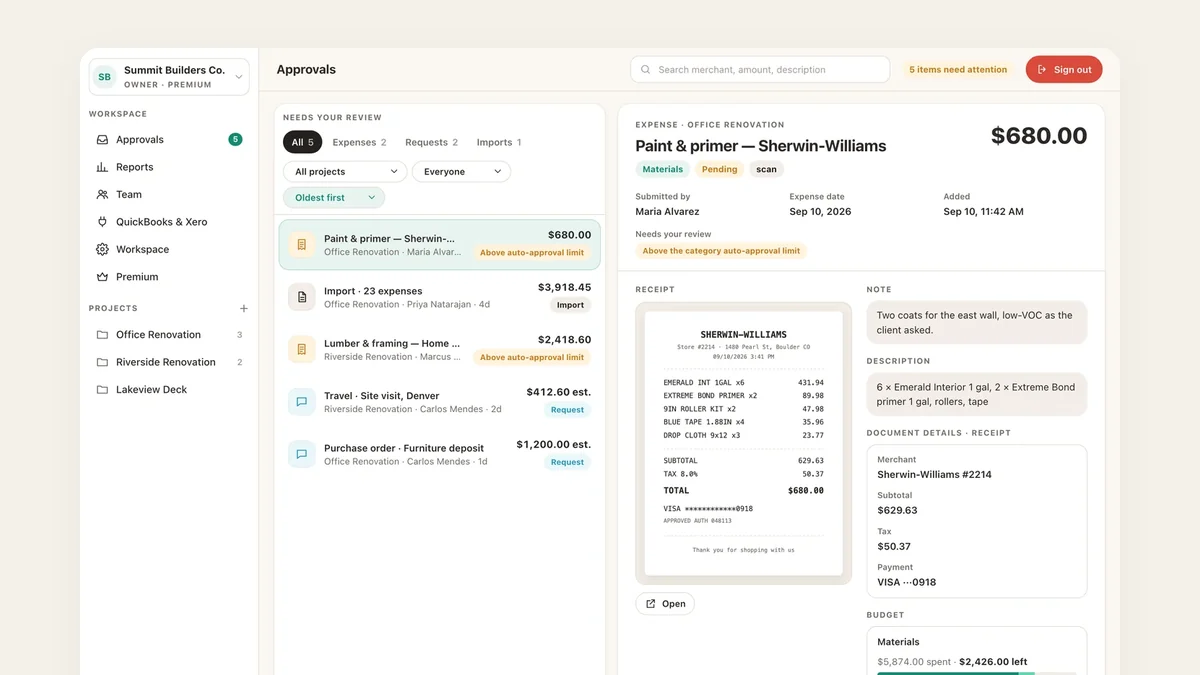
The phone is where an expense is born: a receipt at the counter, a request from the van, a photo of the quote. Deciding on it is a different job, and it usually happens at a desk. So TaskSpend now has a desk. Workspace Owners and Approvers can sign in at app.taskspend.com and work through the same queue, budgets, team and reports on a big screen, while the crew keeps capturing from the app.
Who it is for
The web app is built for the people who decide and the people who report. If you own a workspace or approve in one, everything you can decide on the phone you can now decide in a browser. Members and Viewers keep the iPhone app, which is where their work happens anyway: scanning, submitting and asking before they spend.
Nothing changes for the team. A Member who opens app.taskspend.com sees a friendly “Nothing here is yours to decide” and a pointer back to the app.
Every expense type, one queue
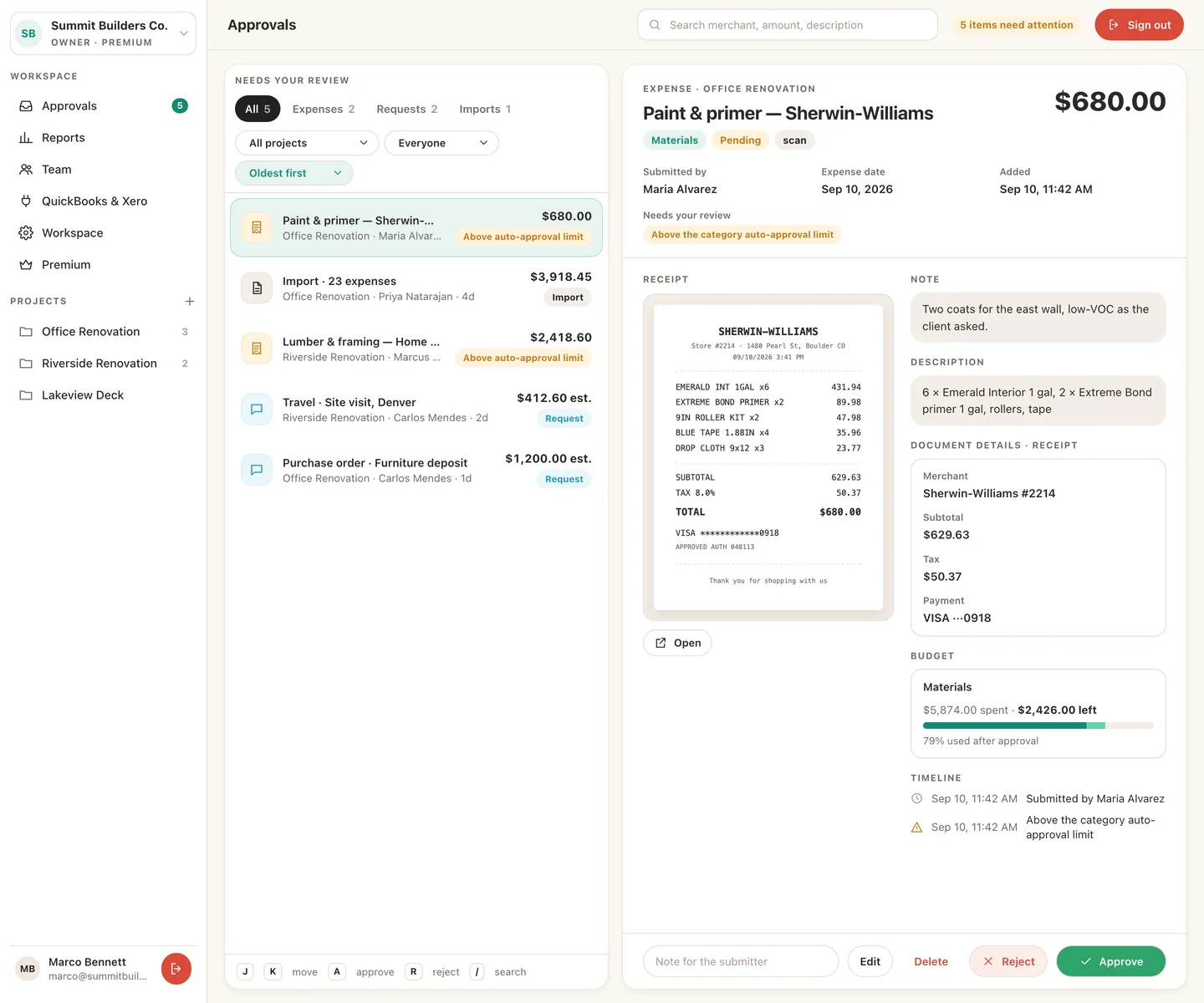
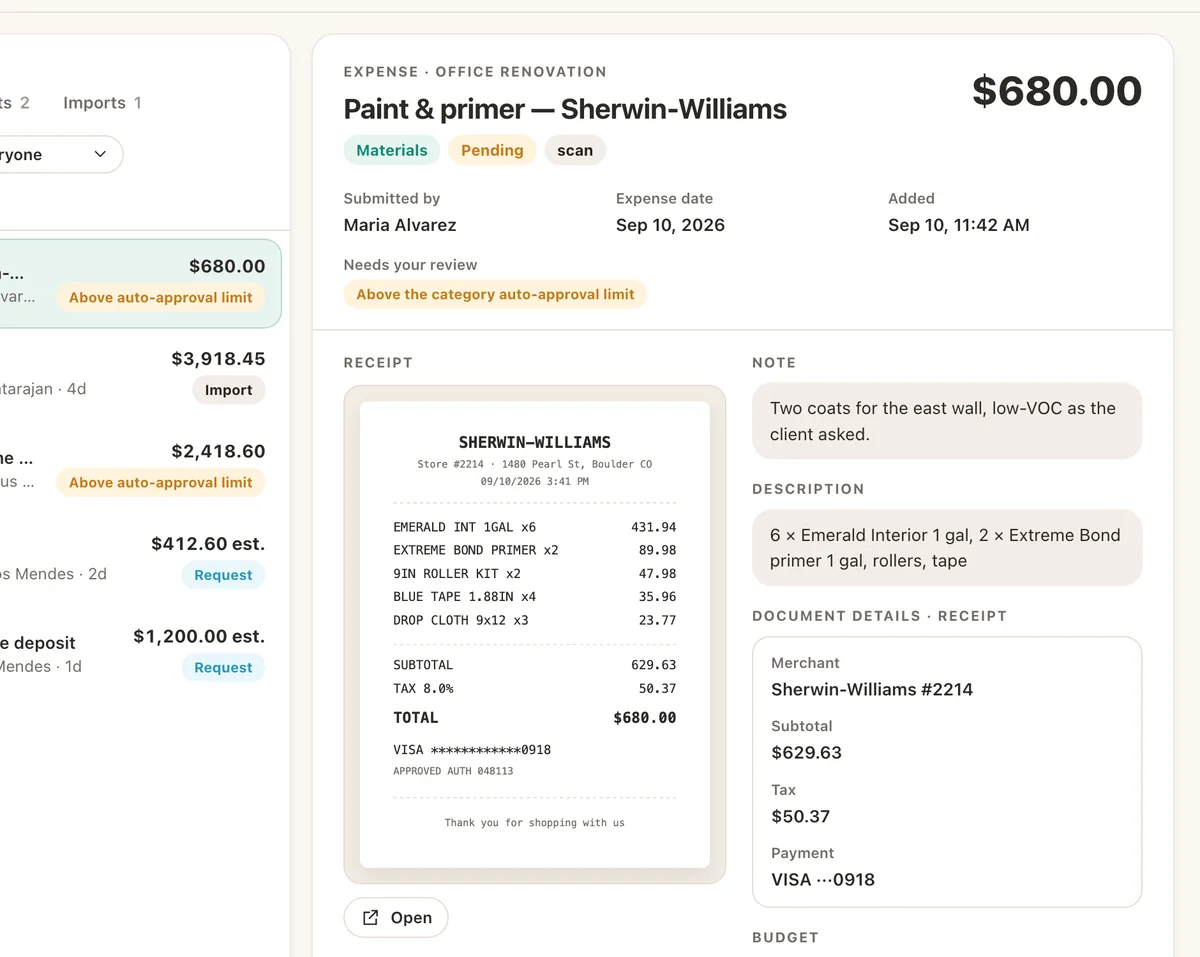
Expenses, payments, purchase orders, travel, per-diem and mileage, time off, and statement imports all land in the same list, badged with the reason they need you: above the auto-approval limit, no category yet, a receipt missing. Pick one and the whole story sits next to it: the receipt image and what was read from it, the note, the category’s budget bar, and a timeline of who did what. Approve or reject with a note, or press A and R and keep moving down the list.
Long import? A statement with thirty rows opens as a table where you tick the lines that belong and approve the batch in one go, the same way the app does it, only with more room.
Reports built for the accountant
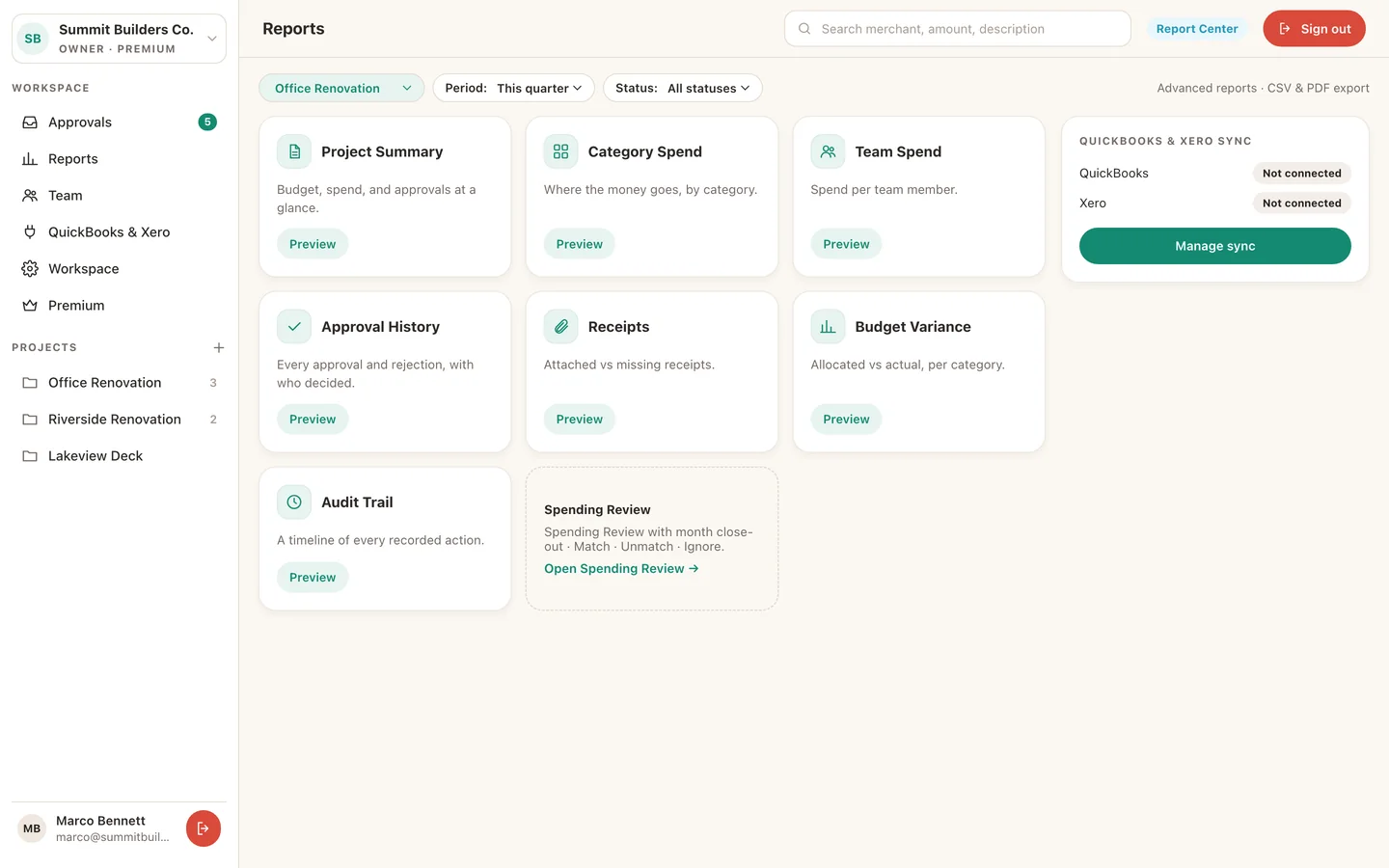
The Report Center is the other reason to have a desk. Seven report types for any project and date range: project summary, category spend, team spend, approval history, receipts, budget variance and a full audit trail. Preview them in the browser, then download CSV, or PDF on Premium, and hand the accountant something they can open without asking a question.
Same account, same subscription
There is nothing to set up. Sign in with the same Apple or Google account you use in the app and your workspaces are already there. Premium is bought once, in the app, and covers the phone and the web for every workspace you own. Free workspaces work on the web too, with the same caps they have on the phone.
- Sessions time out. A web session ends after 30 minutes of inactivity and after 12 hours no matter what, so a shared or forgotten screen does not stay signed in.
- The server checks every request. Roles are enforced on our side, not in the browser, exactly as they are for the app.
- We record web sign-ins. The time and the browser it came from, kept for 90 days and deleted with your account, so unfamiliar sign-ins stand out. The privacy policy has the details.
What stays on the phone
Receipt scanning and the on-device reading that goes with it are iPhone features, and so are the Lock Screen control, offline capture and the request forms. Connecting QuickBooks or Xero starts on the web but finishes in the app, and subscriptions are managed through your Apple ID. In short: capture and ask on the phone, decide and report wherever you are.
Android is next. The web app was built on the same API the iPhone app uses, and an Android app will be the third client on it.
Open TaskSpend on the web
If you own a workspace or approve in one, your queue is waiting at app.taskspend.com.
Get TaskSpend