TaskSpend for Claude: ask, add and approve expenses in plain language
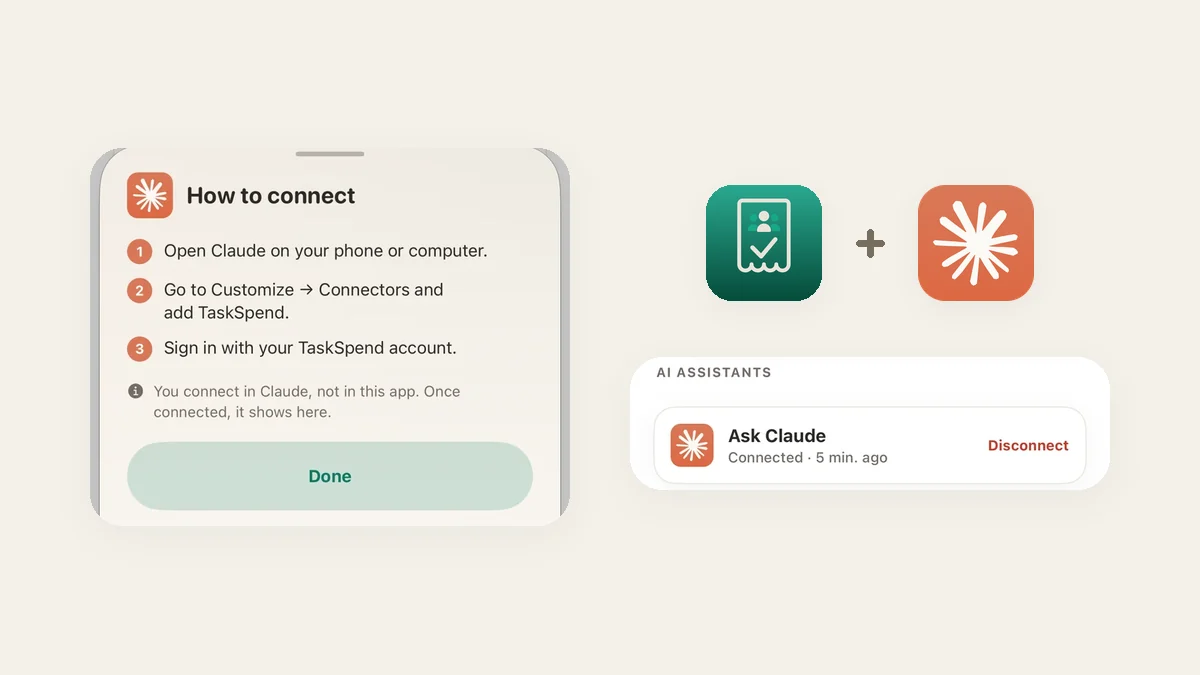
TaskSpend now works inside Claude, the AI assistant from Anthropic. Connect it once and ask about your projects in plain language: how a budget is holding up, what is waiting for your approval, or add the receipt you just took a photo of. It is part of TaskSpend Premium, for the workspaces you own.
What you can do
- Ask about budgets. “How is the kitchen remodel doing against its budget?” “Which categories are over budget this month?”
- Find expenses. “Show my Materials expenses from October.”
- Add an expense from a receipt. Paste the photo and say “add this to the holiday trip”. Claude reads the merchant, total and date and checks them with you first.
- Approve or reject. “Is anything waiting for my approval?” Decide with a note, and the submitter is told, just as in the app.
Totals and budgets come from TaskSpend itself, the same figures the app shows. Claude reads them; it does not calculate them.
How to connect
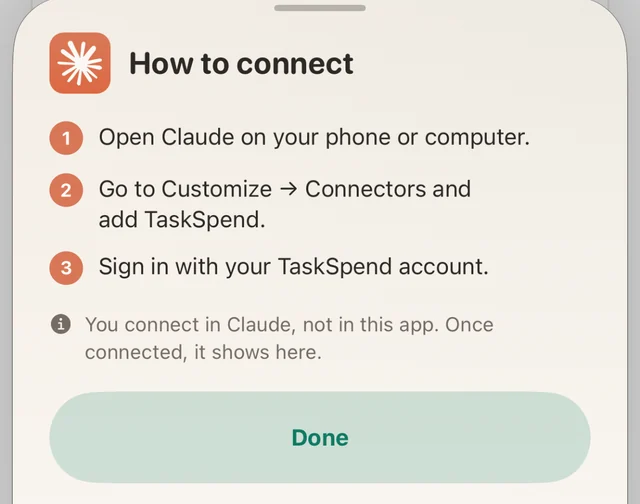
You connect from Claude, not from the TaskSpend app. It takes about a minute:
- In Claude, open Customize and choose Connectors.
- Find TaskSpend and choose Connect.
- Sign in with your TaskSpend account: email, Apple or Google, the same as in the app.
- Ask something like “List my TaskSpend workspaces.”
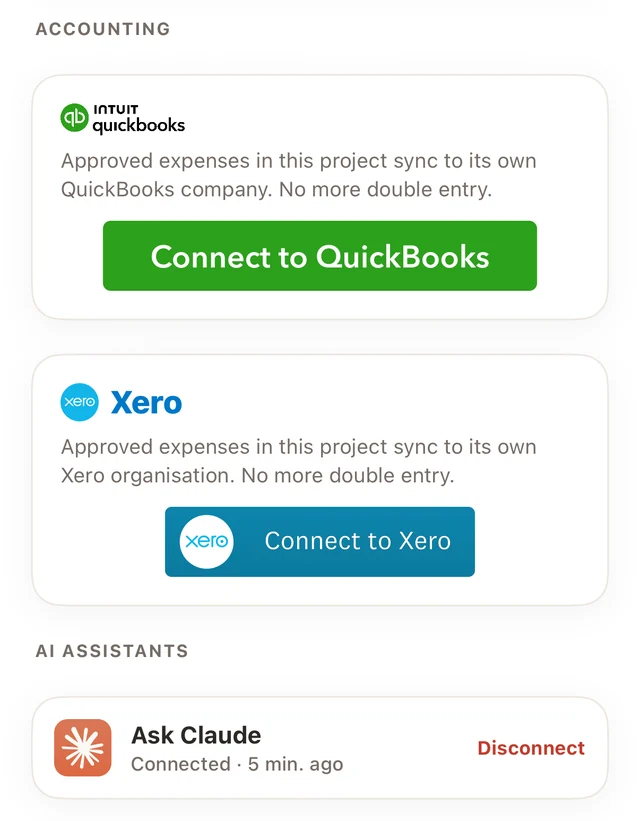
Once connected, TaskSpend shows it under Reports → Integrations → Ask Claude, with when it was last used.
Receipts stay with the expense
After Claude adds an expense, it shows an Attach receipt card. Pick the photo there and TaskSpend compresses it on your device, the same way the app does, and saves it with the expense. Every expense added this way is marked Added through: Claude, and follows your workspace’s normal rules for approvals, plan limits and receipts.
Private and under your control
- Claude never sees your password. It gets a sign-in that works only for TaskSpend.
- It reaches only the Premium workspaces you own, and TaskSpend checks that on every request.
- Claude asks before it adds, approves or rejects anything.
- Disconnect any time from Integrations → Ask Claude. Claude is cut off at once.
When you ask something, TaskSpend sends Claude only what it needs to answer, such as project names, amounts and dates. See section 15 of our Privacy Policy.
Who can use it
 TaskSpend for Claude is included with TaskSpend Premium, for workspace owners, like the QuickBooks and Xero connections. There is no extra charge. You need a Claude account that can use connectors.
Full setup, troubleshooting and example prompts: TaskSpend for Claude guide.
Try it on your own projects
Start free in the app, then upgrade to Premium to connect Claude.


On a computer?
Scan to get the app on your phone.