A simple expense approval workflow for small teams

Approval processes have a bad reputation because most of them are built for big companies: forms, chains of sign-off, a week of waiting. A small team needs something lighter—a workflow that fits in the gap between “can I buy this?” and “yes, go ahead.”
Why approving after doesn’t work
In most teams, “approval” means someone reviews expenses at month end—after the money is gone. At that point there is nothing to decide; you are just finding out. The only version of approval that protects a budget is the one that happens before the spend. We wrote about the mindset shift in Approve before you spend; this post is the practical setup.
The workflow, in four steps
- Set the ground rules once. Give the project a budget by category, and decide who approves. In TaskSpend that is a role, not a meeting: Owners and Approvers see the queue, everyone else submits.
- Ask first for anything big. A team member raises a request—a purchase, a trip with per-diem and mileage worked out up front, or a payment already made—and attaches the quote. Questions happen right on the request, in its own thread, instead of scattered texts.
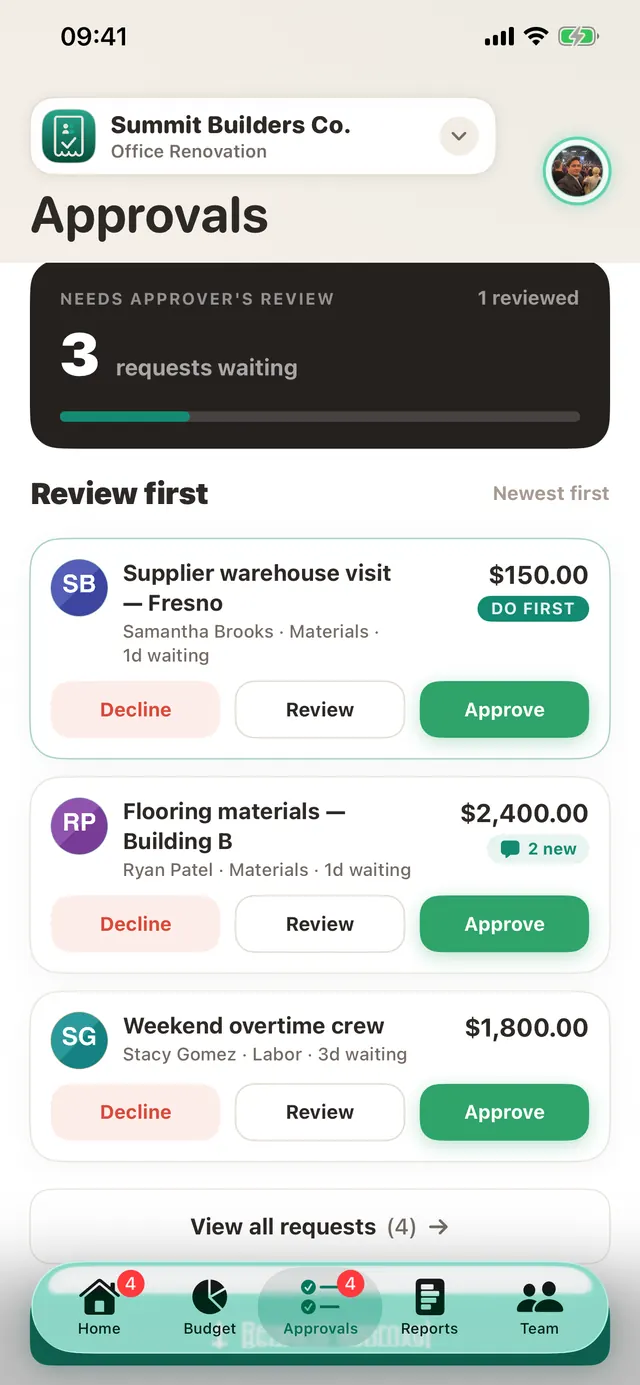
- Decide with the facts on the card. The approver sees the amount, the project, and what is left in the budget, then approves or declines in a tap—from wherever they are.
- Let the paperwork do itself. An approved request becomes a logged expense against the right category. No retyping, no reconciliation later.
Keep it lightweight
The trick to a workflow people actually follow is to make the common case effortless:
- Auto-approval limits. Set a threshold and small routine purchases approve themselves. Humans only look at the spends that deserve a human.
- Clear a backlog in one go. Back from a week off? Decide the whole queue at once, with one note to the team.
- No chasing. Requests sit in one badged queue rather than in text messages, so nothing quietly ages out.
Start small. Pick one project and one approver, and route just the big purchases through requests for a month. Most teams never go back.
Set up your approval queue
Approvals and auto-approval rules are included on the free plan.
Get TaskSpend